


Brightspeed Business
Hub Support
Brightspeed Business
Hub Support
Brightspeed Business
Hub Support
 Sign in to Business Hub

Click to Chat Support for Business Hub Users
Click to Chat Support for Business Hub Users
Click to Chat Support for Business Hub Users
Brightspeed Business customers can use our Click to Chat support feature to get help with service issues, like reporting an outage, checking network performance or troubleshooting connectivity problems quickly. They may also use it to ask questions about billing, invoices, or account changes without needing to call CARE Support.
To use Click to Chat, first login to your Brightspeed Business Hub account. Then, click the icon on the lower right corner of your screen to initiate a chat.

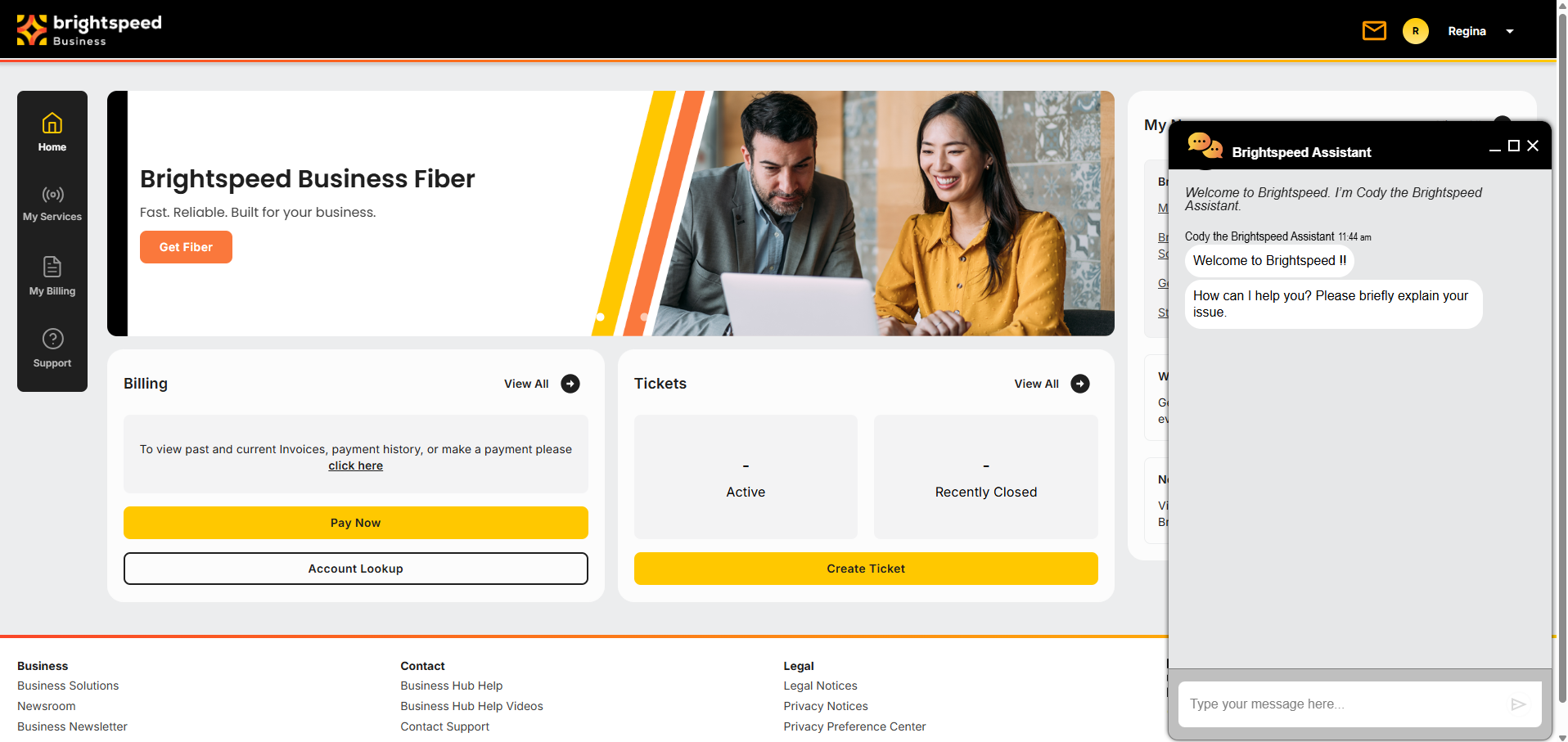
After loading, the Brightspeed Assistant will pop up on the right side of your screen. Type your message or question into the text box and send using the arrow icon or by pressing enter.
You may receive an automated response from Cody, the Brightspeed Assistant, to help resolve your issue before being connected with a chat agent.
Brightspeed Business customers can use our Click to Chat support feature to get help with service issues, like reporting an outage, checking network performance or troubleshooting connectivity problems quickly. They may also use it to ask questions about billing, invoices, or account changes without needing to call CARE Support.
To use Click to Chat, first login to your Brightspeed Business Hub account. Then, click the icon on the lower right corner of your screen to initiate a chat.
After loading, the Brightspeed Assistant will pop up on the right side of your screen. Type your message or question into the text box and send using the arrow icon or by pressing enter.
You may receive an automated response from Cody, the Brightspeed Assistant, to help resolve your issue before being connected with a chat agent.
Brightspeed Business customers can use our Click to Chat support feature to get help with service issues, like reporting an outage, checking network performance or troubleshooting connectivity problems quickly. They may also use it to ask questions about billing, invoices, or account changes without needing to call CARE Support.
To use Click to Chat, first login to your Brightspeed Business Hub account. Then, click the icon on the lower right corner of your screen to initiate a chat.
After loading, the Brightspeed Assistant will pop up on the right side of your screen. Type your message or question into the text box and send using the arrow icon or by pressing enter.
You may receive an automated response from Cody, the Brightspeed Assistant, to help resolve your issue before being connected with a chat agent.
Note: Chat agents are online from 8:00am - 8:00pm EST. If you are trying to access the Click to Chat feature outside of our regular business hours, you will receive an automated message to return during normal business hours.
Note: Chat agents are online from 8:00am - 8:00pm EST. If you are trying to access the Click to Chat feature outside of our regular business hours, you will receive an automated message to return during normal business hours.
Note: Chat agents are online from 8:00am - 8:00pm EST. If you are trying to access the Click to Chat feature outside of our regular business hours, you will receive an automated message to return during normal business hours.