


Brightspeed Business
Hub Support
Brightspeed Business
Hub Support
Brightspeed Business
Hub Support
 Sign in to Business Hub

Manage Your Paper Bill Preferences
Manage Your Paper Bill Preferences
Manage Your Paper Bill Preferences
Choose whether you'd like to receive a paper bill by mail
or manage your billing electronically through the Brightspeed Business Hub.
Choose whether you'd like to receive a paper bill by mail
or manage your billing electronically through the Brightspeed Business Hub.
Choose whether you'd like to receive a paper bill by mail
or manage your billing electronically through the Brightspeed Business Hub.
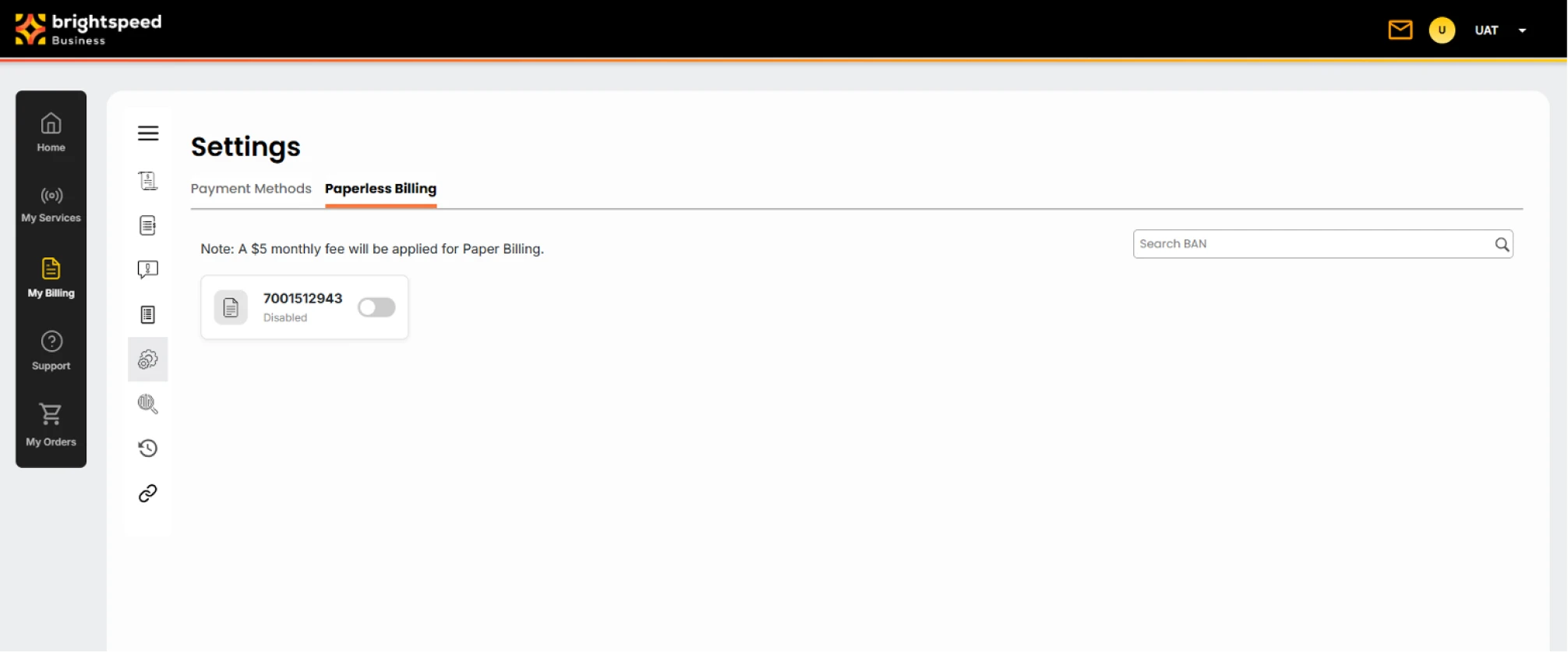
To receive a paper bill:
1. Sign in to the Brightspeed Business Hub.
2. Select My Billing from the navigation menu.
3. Under Settings, select Paperless Billing and toggle “on” to receive a paper bill.
4. Confirm your selection.
To receive a paper bill:
1. Sign in to the Brightspeed Business Hub.
2. Select My Billing from the navigation menu.
3. Under Settings, select Paperless Billing and toggle “on” to receive a paper bill.
4. Confirm your selection.
To receive a paper bill:
1. Sign in to the Brightspeed Business Hub.
2. Select My Billing from the navigation menu.
3. Under Settings, select Paperless Billing and toggle “on” to receive a paper bill.
4. Confirm your selection.
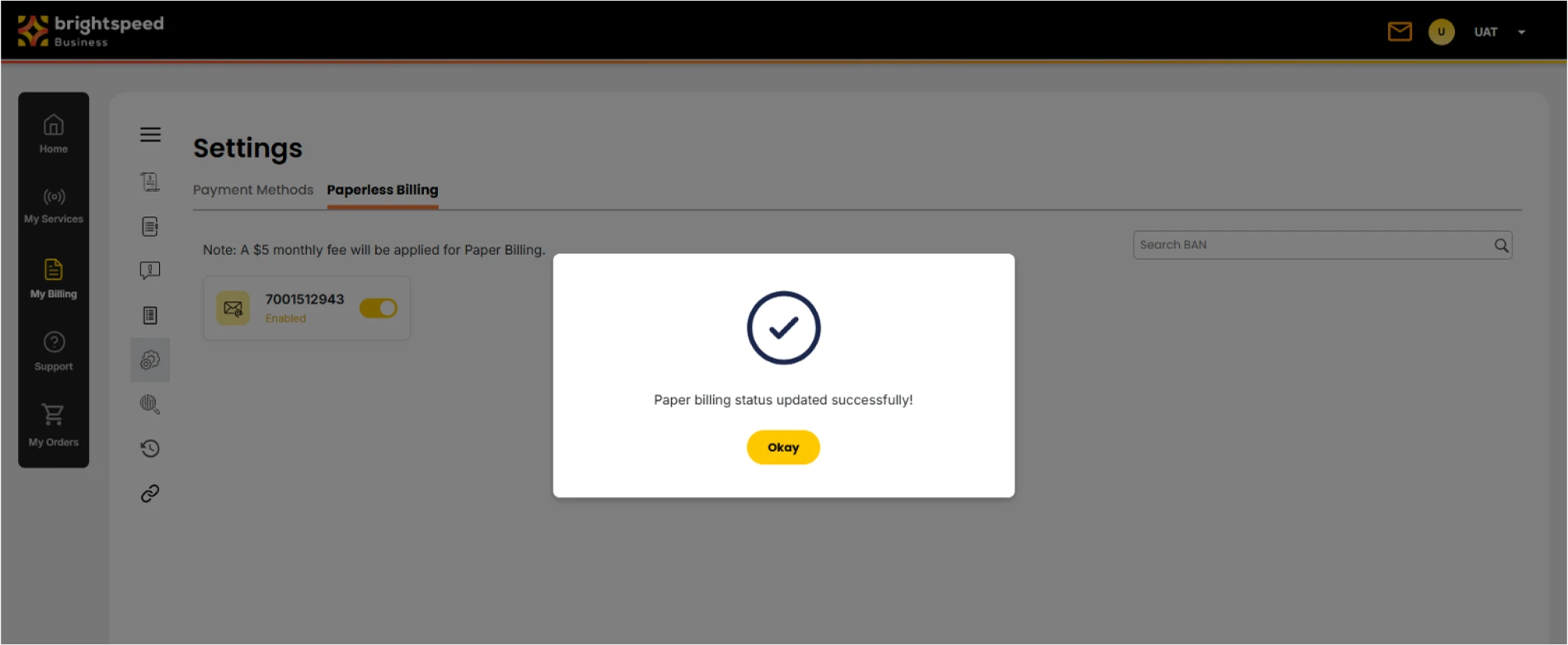
To opt out of receiving a paper bill:
1. Sign in to the Brightspeed Business Hub.
2. Select My Billing from the navigation menu.
3. Under Settings, select Paperless Billing and toggle "off" to receive a paper bill.
4. Confirm your selection.
To opt out of receiving a paper bill:
1. Sign in to the Brightspeed Business Hub.
2. Select My Billing from the navigation menu.
3. Under Settings, select Paperless Billing and toggle "off" to receive a paper bill.
4. Confirm your selection.
To opt out of receiving a paper bill:
1. Sign in to the Brightspeed Business Hub.
2. Select My Billing from the navigation menu.
3. Under Settings, select Paperless Billing and toggle "off" to receive a paper bill.
4. Confirm your selection.
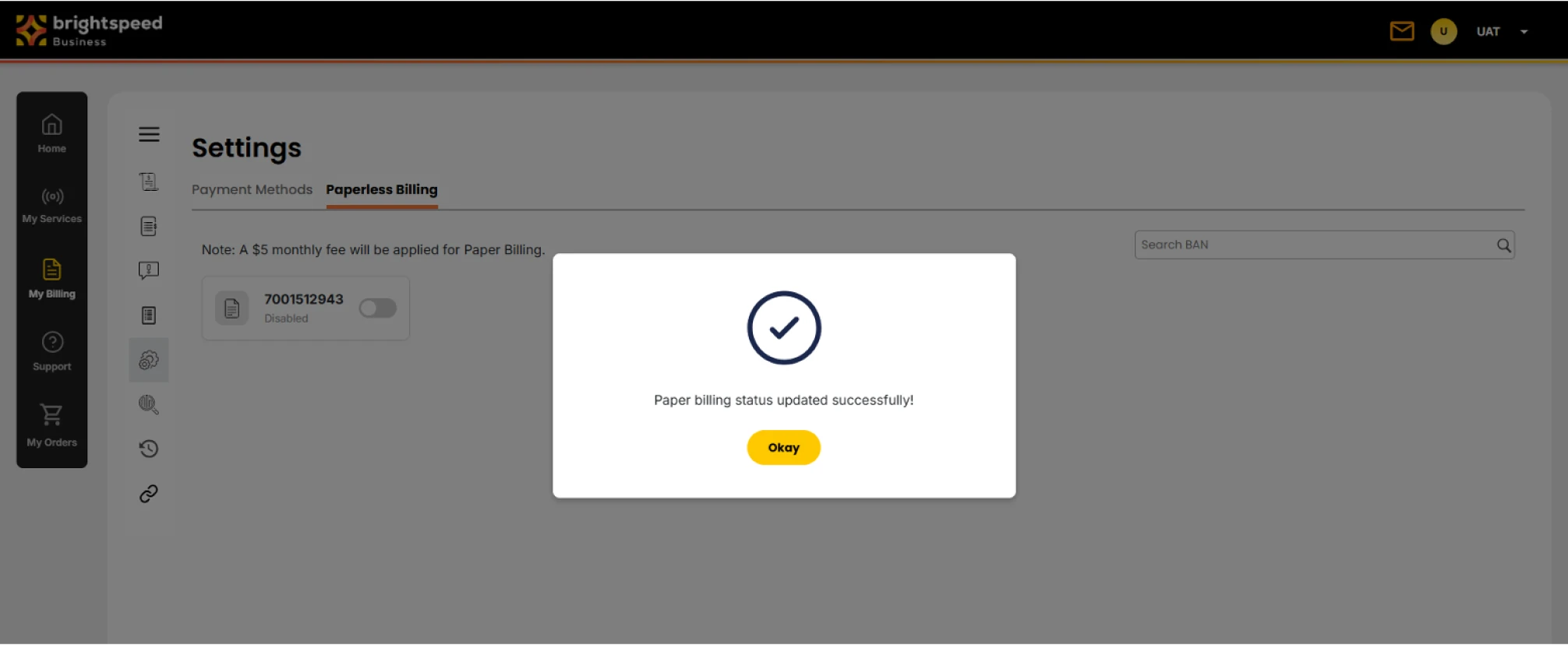
Note: Your bills will continue to be available online in the My Billing section of the Brightspeed Business Hub.
A $5.00/month charge will be applied for all paper invoices.
Note: Your bills will continue to be available online in the My Billing section of the Brightspeed Business Hub.
A $5.00/month charge will be applied for all paper invoices.
Note: Your bills will continue to be available online in the My Billing section of the Brightspeed Business Hub.
A $5.00/month charge will be applied for all paper invoices.