


Brightspeed Business
Hub Support
Brightspeed Business
Hub Support
Brightspeed Business
Hub Support
 Sign in to Business Hub

View a Prior Invoice
View a Prior Invoice
View a Prior Invoice
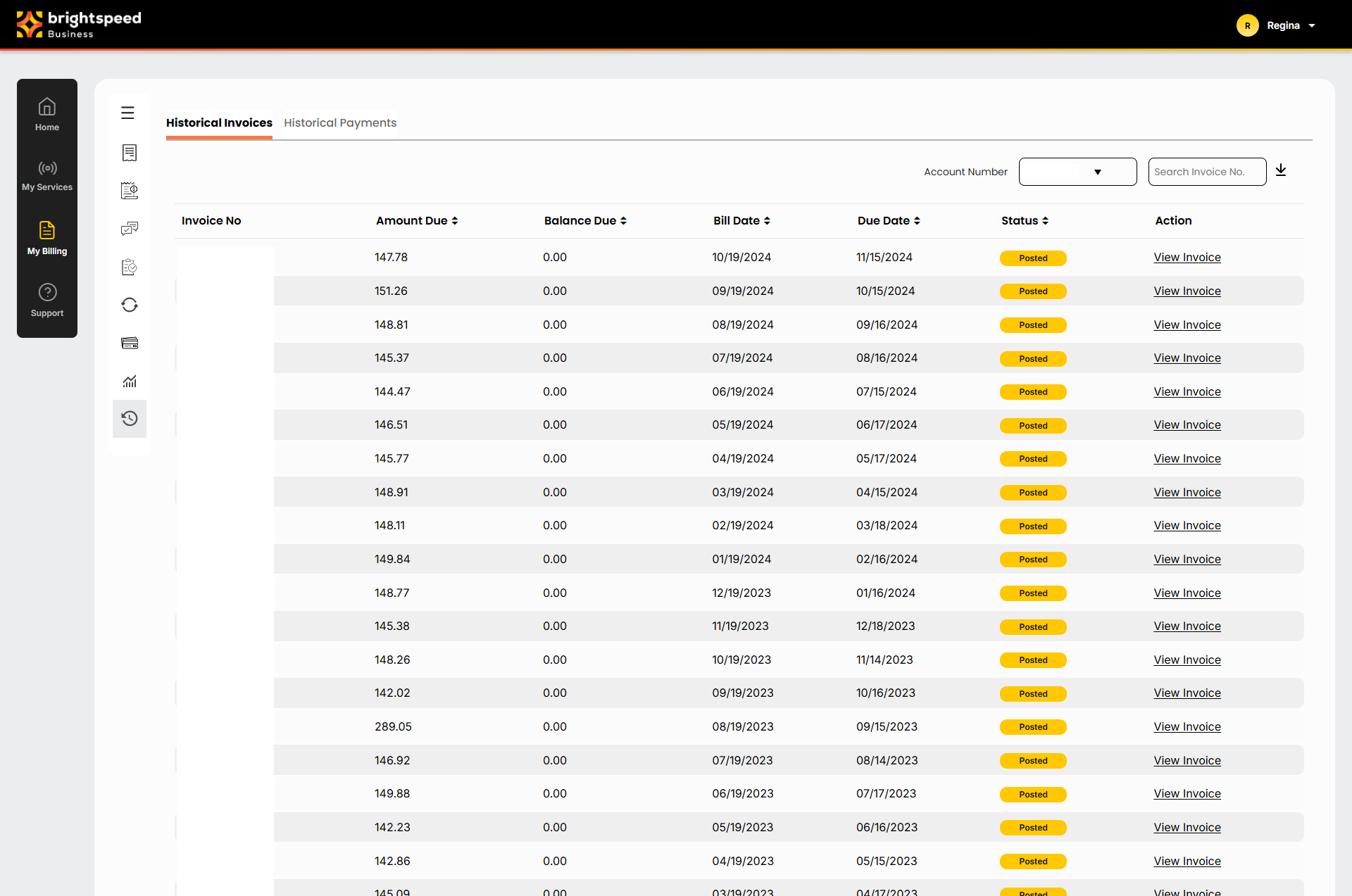
The Business Hub lists your current invoice along with invoices from the previous 23 months. You can also request a PDF copy of a prior invoice to download and save for your records.
To view a prior invoice:
- Sign in to Business Hub.
- Click Billing > Past Invoices and Downloads. The Business Hub displays the invoices available for the prior month (if any).
The Business Hub lists your current invoice along with invoices from the previous 23 months. You can also request a PDF copy of a prior invoice to download and save for your records.
To view a prior invoice:
- Sign in to Business Hub.
- Click Billing > Past Invoices and Downloads. The Business Hub displays the invoices available for the prior month (if any).
The Business Hub lists your current invoice along with invoices from the previous 23 months. You can also request a PDF copy of a prior invoice to download and save for your records.
To view a prior invoice:
- Sign in to Business Hub.
- Click Billing > Past Invoices and Downloads. The Business Hub displays the invoices available for the prior month (if any).
×
![]()
Past Invoices and Downloads
- Use the date filter to select the month you want to view a prior invoice for. A list of the invoices available for the month you selected displays.
- Search for the account(s) you want by doing one of the following:
- Scroll through the list of accounts. If you have more than 20 accounts, use the arrows at the bottom of the page to move between pages.
- Sort your accounts using the column headings (e.g., Account Number). You can toggle between descending and ascending order using the arrows to the right of the column heading.
- Filter by account group by selecting an option from the All Account Groups list.
- Search for a specific account (by invoice number, account number, etc.) using the Search field.
- Click the View link in the Actions column. The Business Hub displays the invoice PDF for the account you selected. Invoice details and presentation vary based on the type of account.
Past Invoices and Downloads
- Use the date filter to select the month you want to view a prior invoice for. A list of the invoices available for the month you selected displays.
- Search for the account(s) you want by doing one of the following:
- Scroll through the list of accounts. If you have more than 20 accounts, use the arrows at the bottom of the page to move between pages.
- Sort your accounts using the column headings (e.g., Account Number). You can toggle between descending and ascending order using the arrows to the right of the column heading.
- Filter by account group by selecting an option from the All Account Groups list.
- Search for a specific account (by invoice number, account number, etc.) using the Search field.
- Click the View link in the Actions column. The Business Hub displays the invoice PDF for the account you selected. Invoice details and presentation vary based on the type of account.
Past Invoices and Downloads
- Use the date filter to select the month you want to view a prior invoice for. A list of the invoices available for the month you selected displays.
- Search for the account(s) you want by doing one of the following:
- Scroll through the list of accounts. If you have more than 20 accounts, use the arrows at the bottom of the page to move between pages.
- Sort your accounts using the column headings (e.g., Account Number). You can toggle between descending and ascending order using the arrows to the right of the column heading.
- Filter by account group by selecting an option from the All Account Groups list.
- Search for a specific account (by invoice number, account number, etc.) using the Search field.
- Click the View link in the Actions column. The Business Hub displays the invoice PDF for the account you selected. Invoice details and presentation vary based on the type of account.