

Brightspeed Business
Hub Support
Brightspeed Business
Hub Support
Brightspeed Business
Hub Support
 Sign in to Business Hub

Diagnostic Tools - Outcomes
Diagnostic Tools - Outcomes
Diagnostic Tools - Outcomes
There are several outcomes that customers can get while using the diagnostics tool and troubleshooting their fiber service.
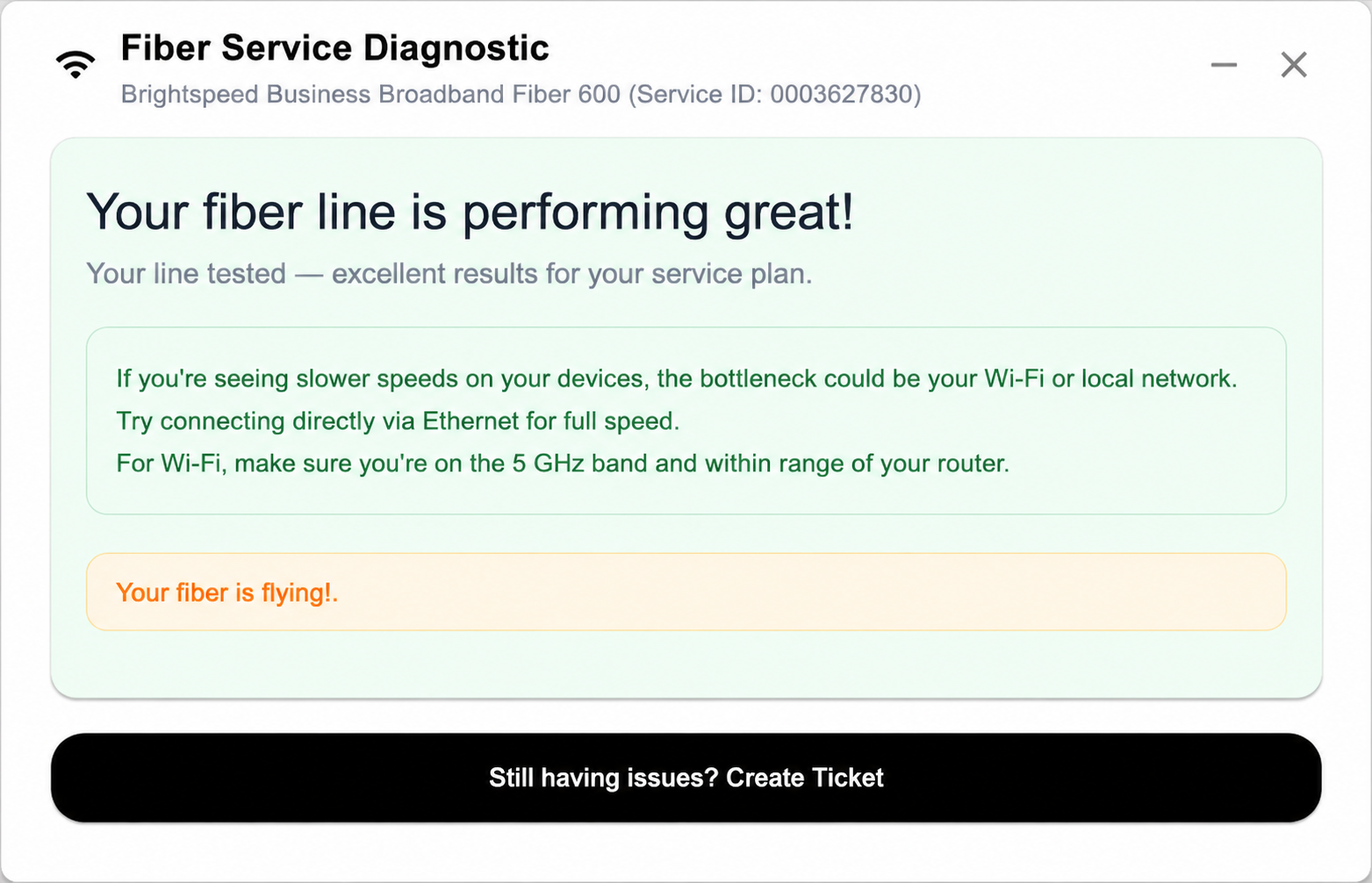
Diagnostics Tool – Did not find any issues:
There are several outcomes that customers can get while using the diagnostics tool and troubleshooting their fiber service.
Diagnostics Tool – Did not find any issues:
There are several outcomes that customers can get while using the diagnostics tool and troubleshooting their fiber service.
Diagnostics Tool – Did not find any issues:
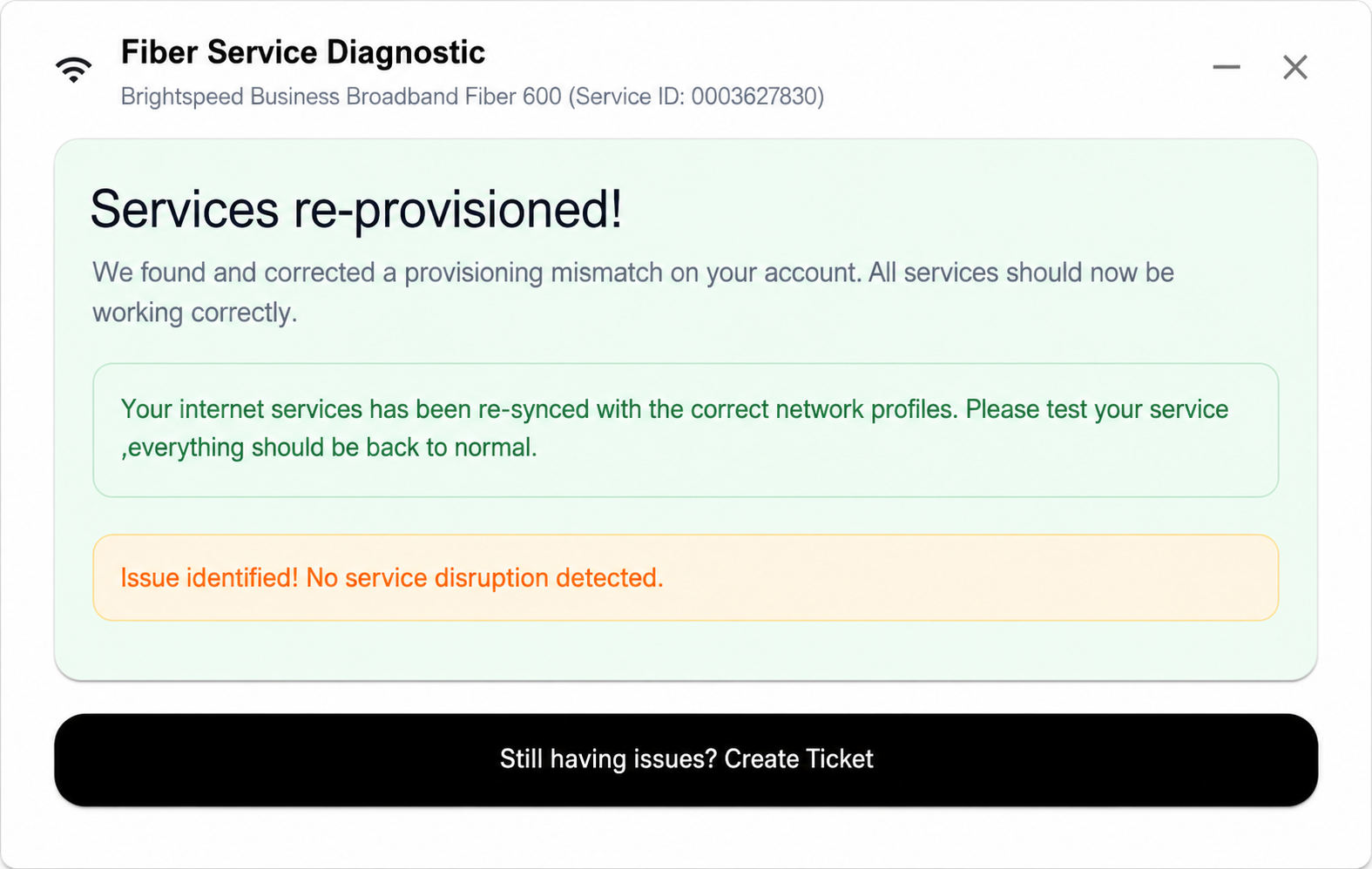
Diagnostics Tool Issues with the Ethernet Port or an issue with Calix Provisioning: in SMx
Diagnostics Tool Issues with the Ethernet Port or an issue with Calix Provisioning: in SMx
Diagnostics Tool Issues with the Ethernet Port or an issue with Calix Provisioning: in SMx
Diagnostics Tool – Issues with the Fiber or ONT requiring onsite diagnostics and repair:
Diagnostics Tool – Issues with the Fiber or ONT requiring onsite diagnostics and repair:
Diagnostics Tool – Issues with the Fiber or ONT requiring onsite diagnostics and repair:
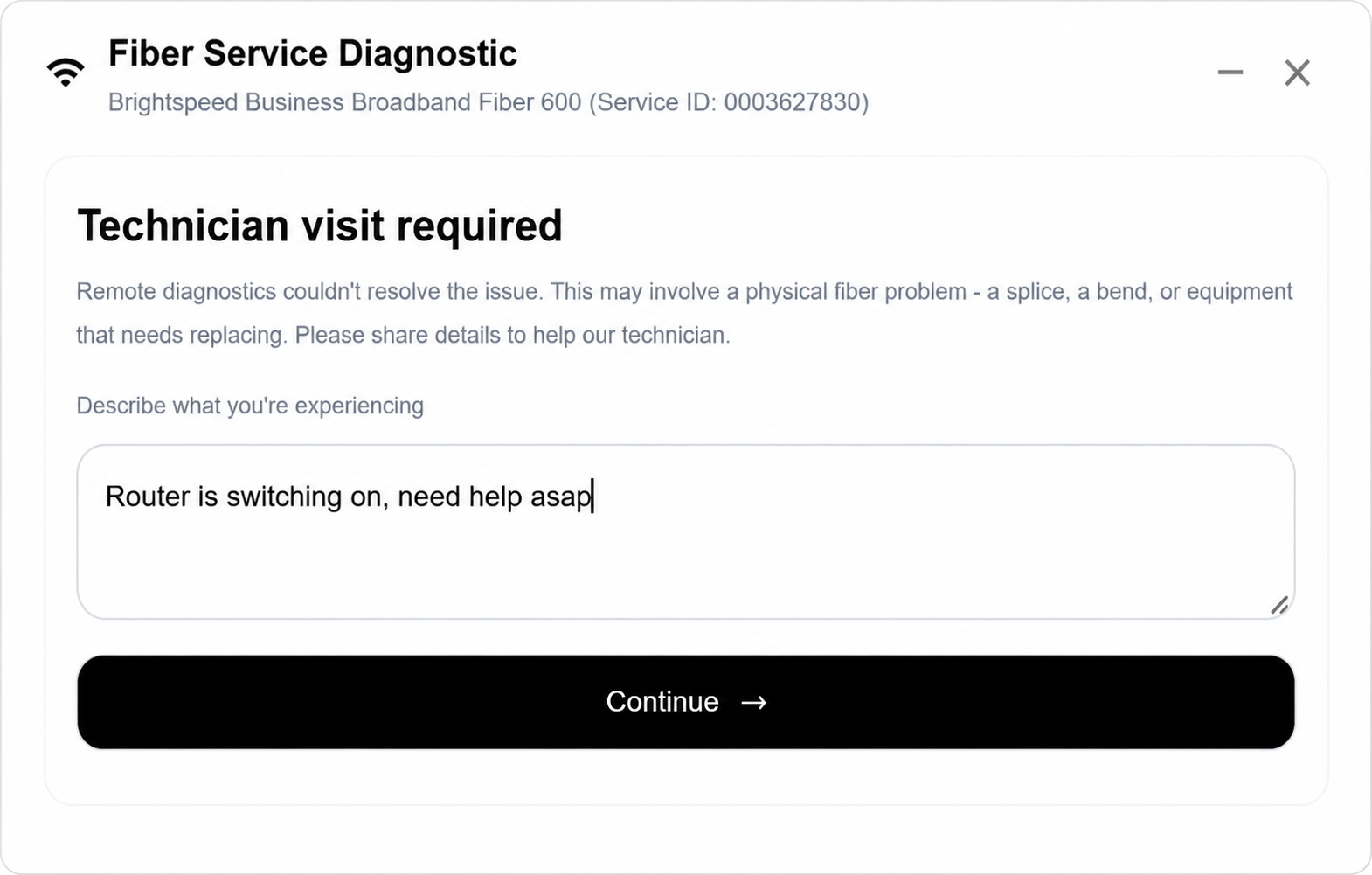
This communicates to the dispatch team to schedule a technician based on customer availability.
This communicates to the dispatch team to schedule a technician based on customer availability.
This communicates to the dispatch team to schedule a technician based on customer availability.
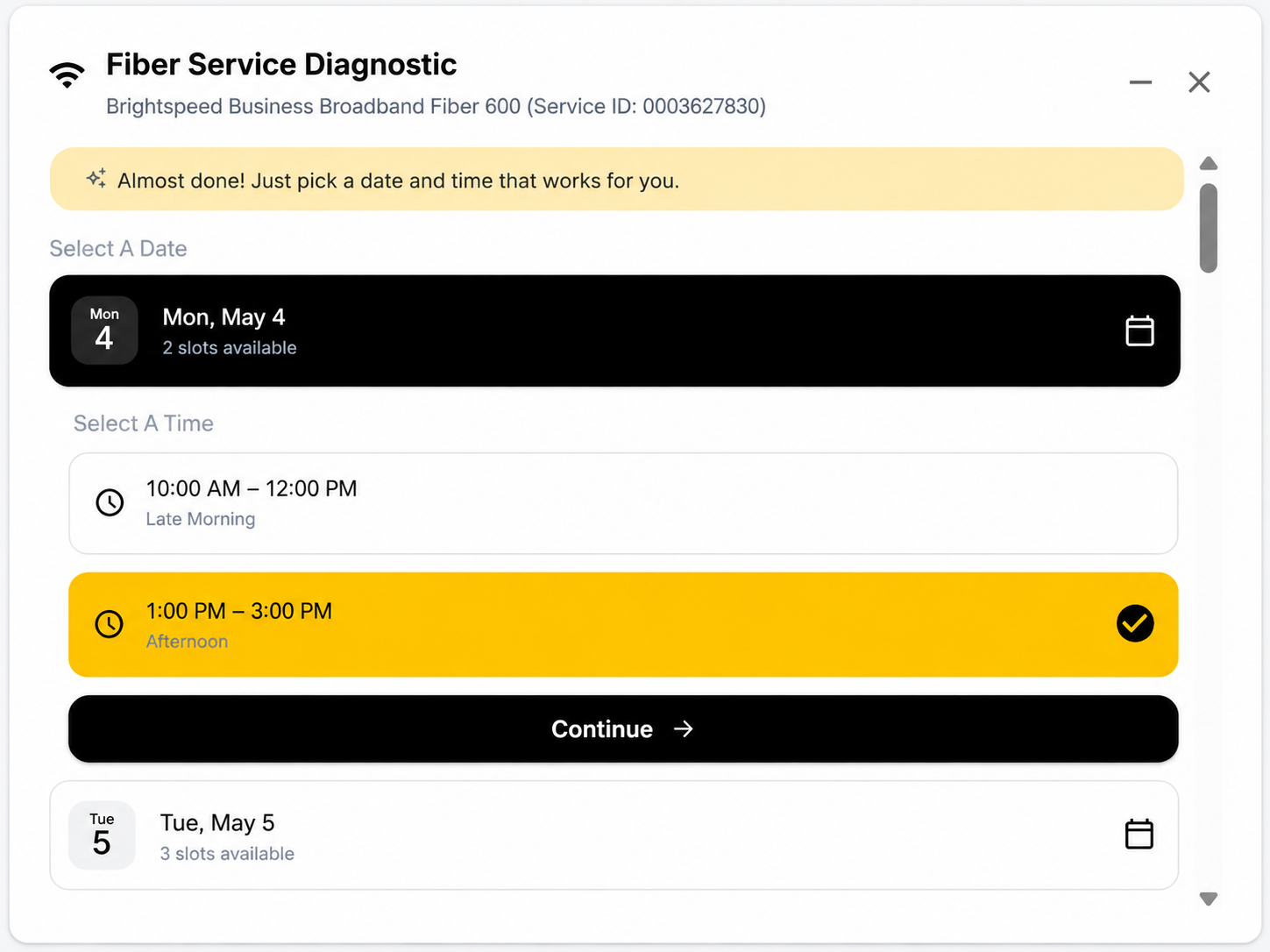
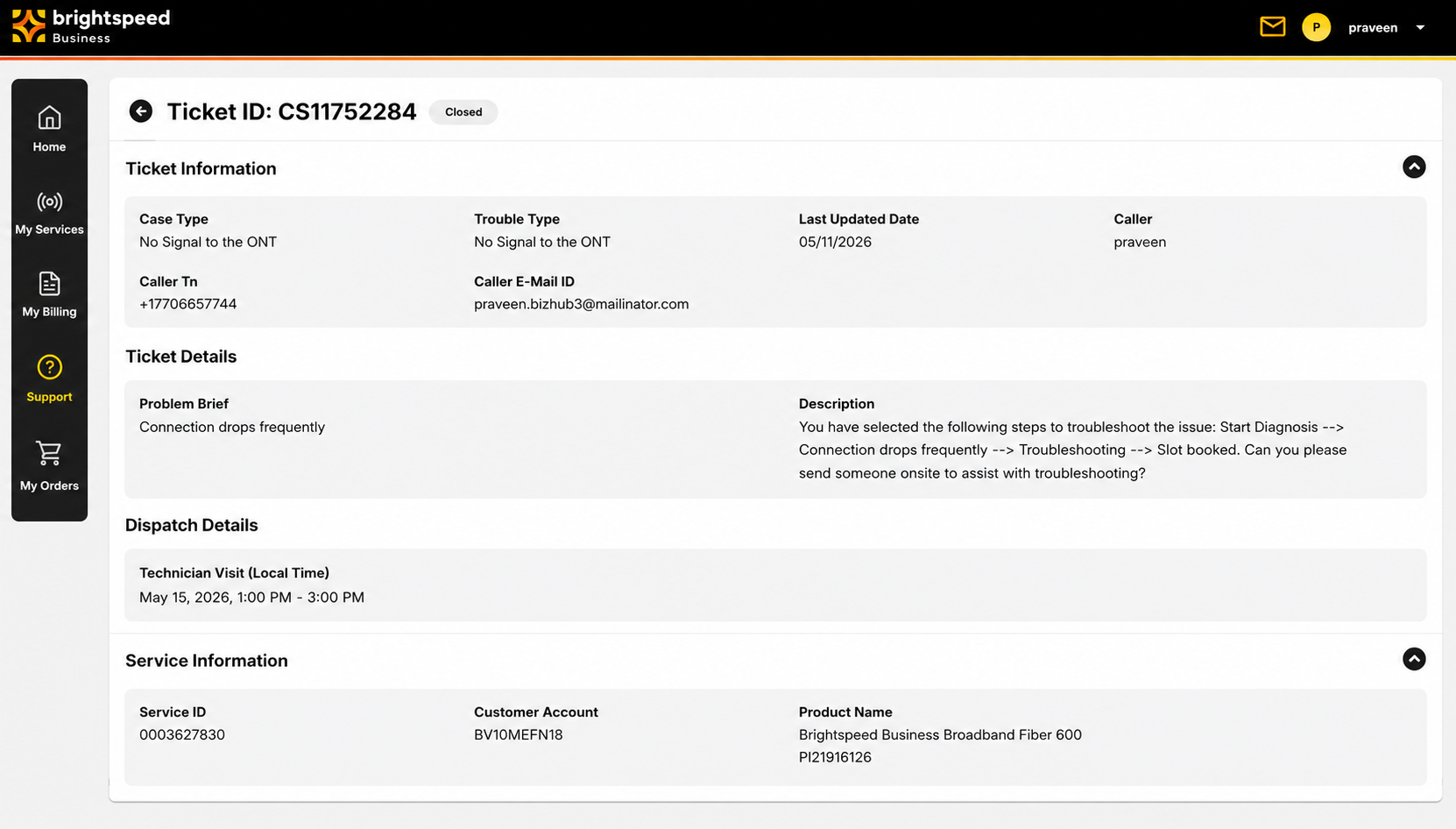
If an onsite technician is scheduled, the scheduling details will be automatically added to the Ticket Information page.
If an onsite technician is scheduled, the scheduling details will be automatically added to the Ticket Information page.
If an onsite technician is scheduled, the scheduling details will be automatically added to the Ticket Information page.
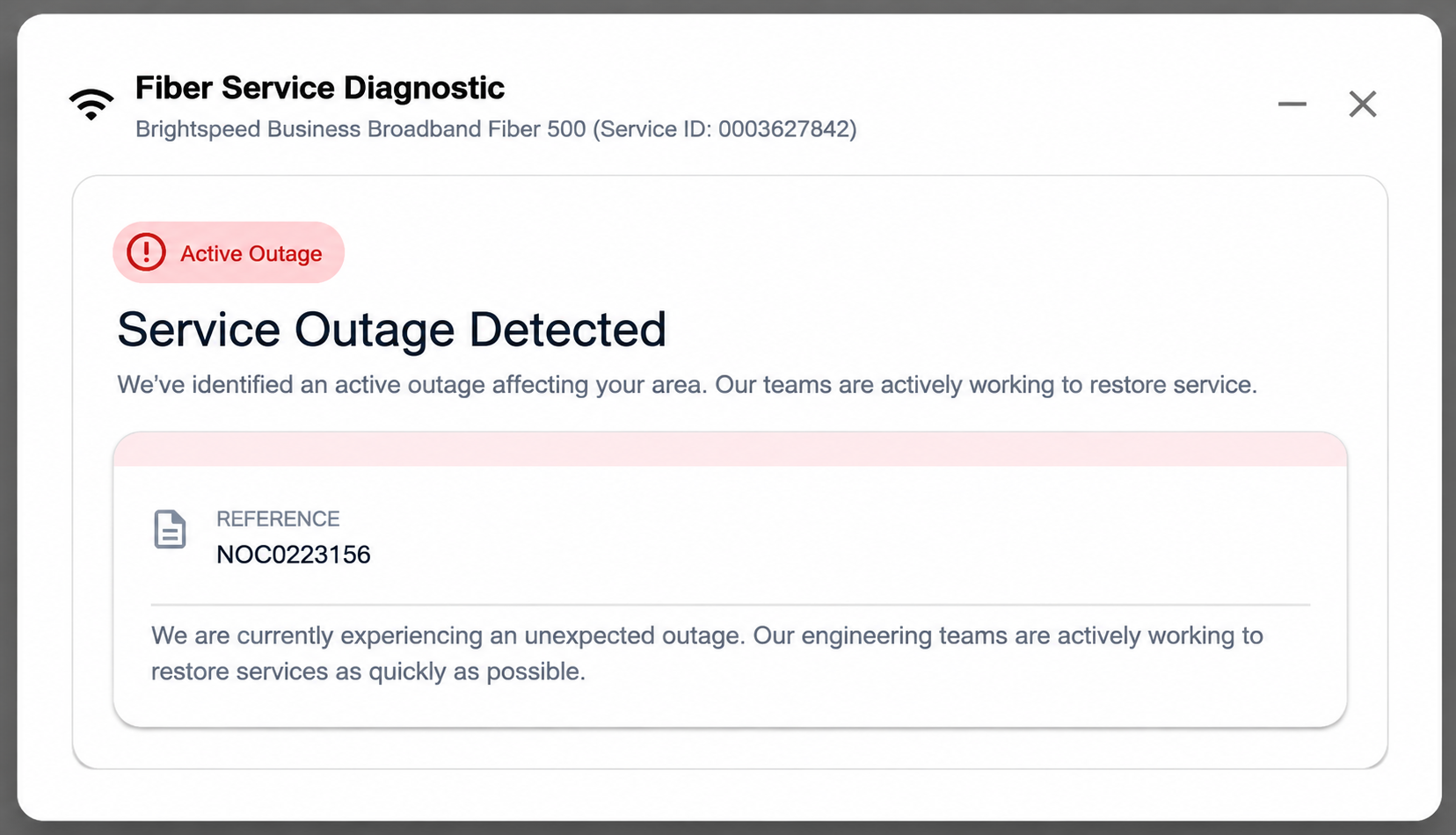
Diagnostics Tool – Outage detected.
If an outage is detected, the customer will receive a “Service Outage Detected” status. It will also provide the NOC outage ticket and latest details.
Diagnostics Tool – Outage detected.
If an outage is detected, the customer will receive a “Service Outage Detected” status. It will also provide the NOC outage ticket and latest details.
Diagnostics Tool – Outage detected.
If an outage is detected, the customer will receive a “Service Outage Detected” status. It will also provide the NOC outage ticket and latest details.