


Brightspeed Business
Hub Support
Brightspeed Business
Hub Support
Brightspeed Business
Hub Support
 Sign in to Business Hub

Viewing Tickets
Viewing Tickets
Viewing Tickets
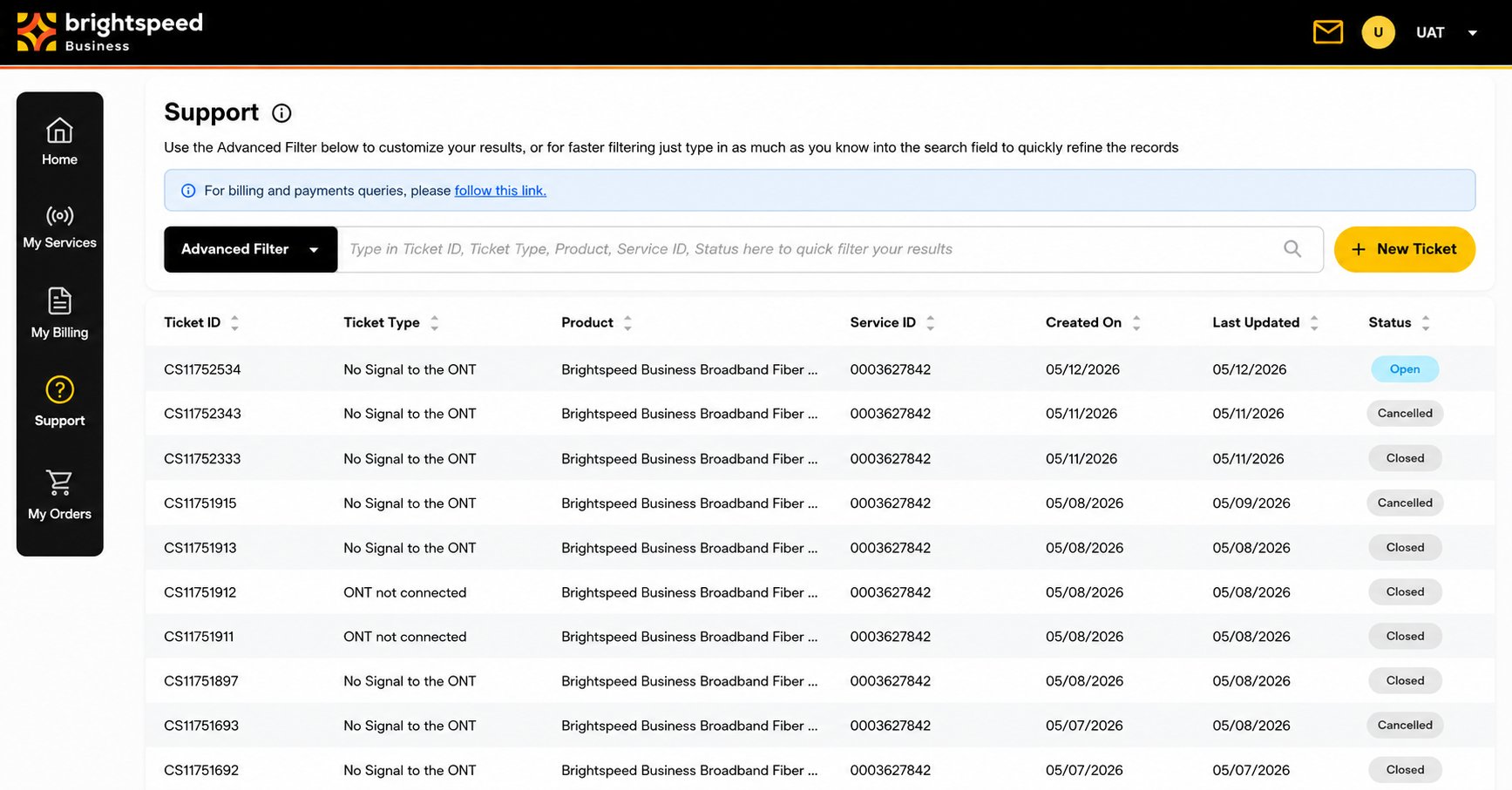
Users can view all their tickets under the Support tab.
Users can view all their tickets under the Support tab.
Users can view all their tickets under the Support tab.
×
![]()
Ticket Status
- Open: Ticket is being reviewed by the TSC (Technical Support Center).
- Cancelled: Ticket was cancelled and no longer under review.
- Closed: Ticket was successfully closed or issue was resolved.
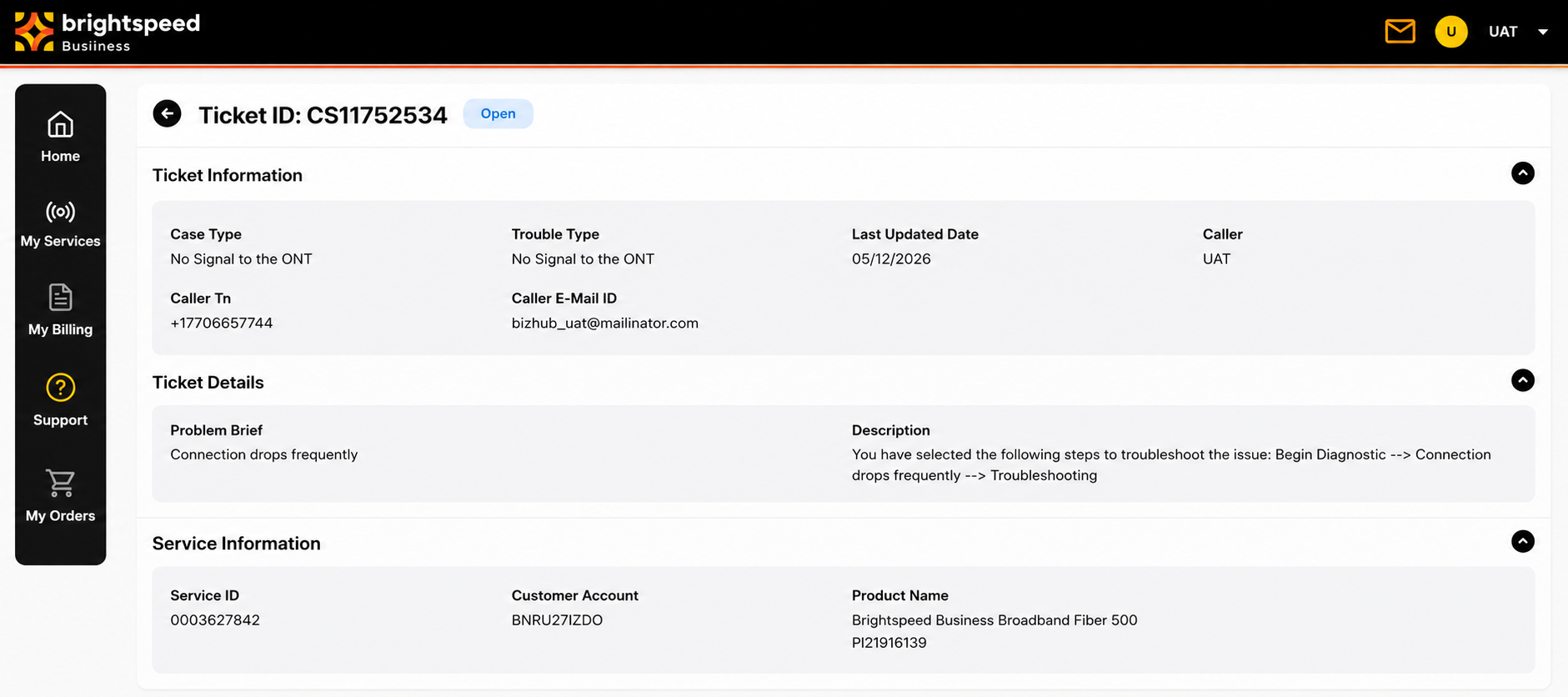
Clicking on any of the tickets will bring up the ticket information and details page:
Ticket Status
- Open: Ticket is being reviewed by the TSC (Technical Support Center).
- Cancelled: Ticket was cancelled and no longer under review.
- Closed: Ticket was successfully closed or issue was resolved.
Clicking on any of the tickets will bring up the ticket information and details page:
Ticket Status
- Open: Ticket is being reviewed by the TSC (Technical Support Center).
- Cancelled: Ticket was cancelled and no longer under review.
- Closed: Ticket was successfully closed or issue was resolved.
Clicking on any of the tickets will bring up the ticket information and details page:
×
![]()