


How to use your Zyxel C3510XZ Series Modem
How to use your Zyxel C3510XZ Series Modem
How to use your Zyxel C3510XZ Series Modem
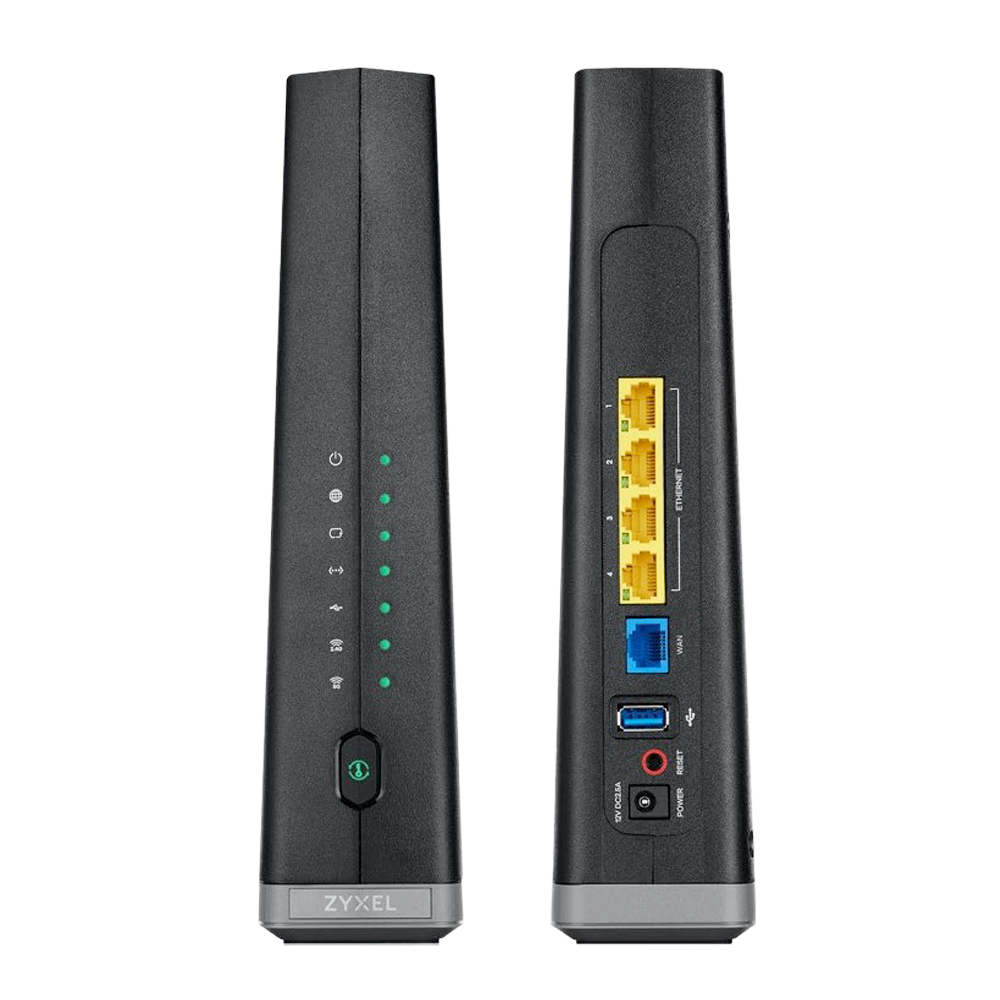
Zyxel C3510XZ features
- WiFi 6 technology with dual-band 2.4 GHz and 5 GHz 802.11 ax (backwards compatible with 802.11 a/b/g/n/ac)
- Auto channel selection
- Up to 4 wireless networks (SSIDs)
- WPS / WPS 2.0 compatible
- IPv4 / IPv6 compatible
- WPA2-PSK security
Tech specifications
Works with these Brightspeed internet services:
Fiber (GPON) – up to 940 Mbps
Note: Listed speeds reflect the maximum download speed the technology can deliver on Brightspeed services. Speeds may differ based on router setup, devices and other factors.
Zyxel C3510XZ features
- WiFi 6 technology with dual-band 2.4 GHz and 5 GHz 802.11 ax (backwards compatible with 802.11 a/b/g/n/ac)
- Auto channel selection
- Up to 4 wireless networks (SSIDs)
- WPS / WPS 2.0 compatible
- IPv4 / IPv6 compatible
- WPA2-PSK security
Tech specifications
Works with these Brightspeed internet services:
Fiber (GPON) – up to 940 Mbps
Note: Listed speeds reflect the maximum download speed the technology can deliver on Brightspeed services. Speeds may differ based on router setup, devices and other factors.
Zyxel C3510XZ features
- WiFi 6 technology with dual-band 2.4 GHz and 5 GHz 802.11 ax (backwards compatible with 802.11 a/b/g/n/ac)
- Auto channel selection
- Up to 4 wireless networks (SSIDs)
- WPS / WPS 2.0 compatible
- IPv4 / IPv6 compatible
- WPA2-PSK security
Tech specifications
Works with these Brightspeed internet services:
Fiber (GPON) – up to 940 Mbps
Note: Listed speeds reflect the maximum download speed the technology can deliver on Brightspeed services. Speeds may differ based on router setup, devices and other factors.
Modem troubleshooting tips
Did you know? If your internet connection is spotty or slow, the best place to start is rebooting your modem.
Still not running right? Check to see if you need to update the modem's firmware.
Download the Latest Firmware for C3510XZ
Tip: If the firmware link doesn't work, try another browser. Chrome is known to have issues with this type of link.
Right-click the link.
Select "Copy Link Address."
Paste the link into a new browser window or tab.
Modem troubleshooting tips
Did you know? If your internet connection is spotty or slow, the best place to start is rebooting your modem.
Still not running right? Check to see if you need to update the modem's firmware.
Download the Latest Firmware for C3510XZ
Tip: If the firmware link doesn't work, try another browser. Chrome is known to have issues with this type of link.
Right-click the link.
Select "Copy Link Address."
Paste the link into a new browser window or tab.
Modem troubleshooting tips
Did you know? If your internet connection is spotty or slow, the best place to start is rebooting your modem.
Still not running right? Check to see if you need to update the modem's firmware.
Download the Latest Firmware for C3510XZ
Tip: If the firmware link doesn't work, try another browser. Chrome is known to have issues with this type of link.
Right-click the link.
Select "Copy Link Address."
Paste the link into a new browser window or tab.