.png)


EasyMove™ at your fingertips!
Moving is hard, but your internet transition doesn't have to be. Through EasyMove™, we’ve made it simple to manage your transition. Whether you’re checking your disconnect status or tracking your new installation, everything you need is right at your fingertips. (*Available to qualifying Fiber customers)
Get Ready for Your Move!
- Review your contact info: Double-check your phone and email in the Brightspeed App so you don't miss installation reminders.
- Confirm your dates: Changes can happen. Make sure your new home installation date and your old home disconnect date are in sync with your move plans.
- Moving out: To ensure a seamless setup on activation day, please bring your current Brightspeed equipment with you to your new address. Pro-tip! Pack your gear in a clearly labeled box and keep it in an easy-to-reach spot for your technician.
- Track your tech: Use the Appointment Tracker in the app for real-time updates on your installation day.
Bring your gear.
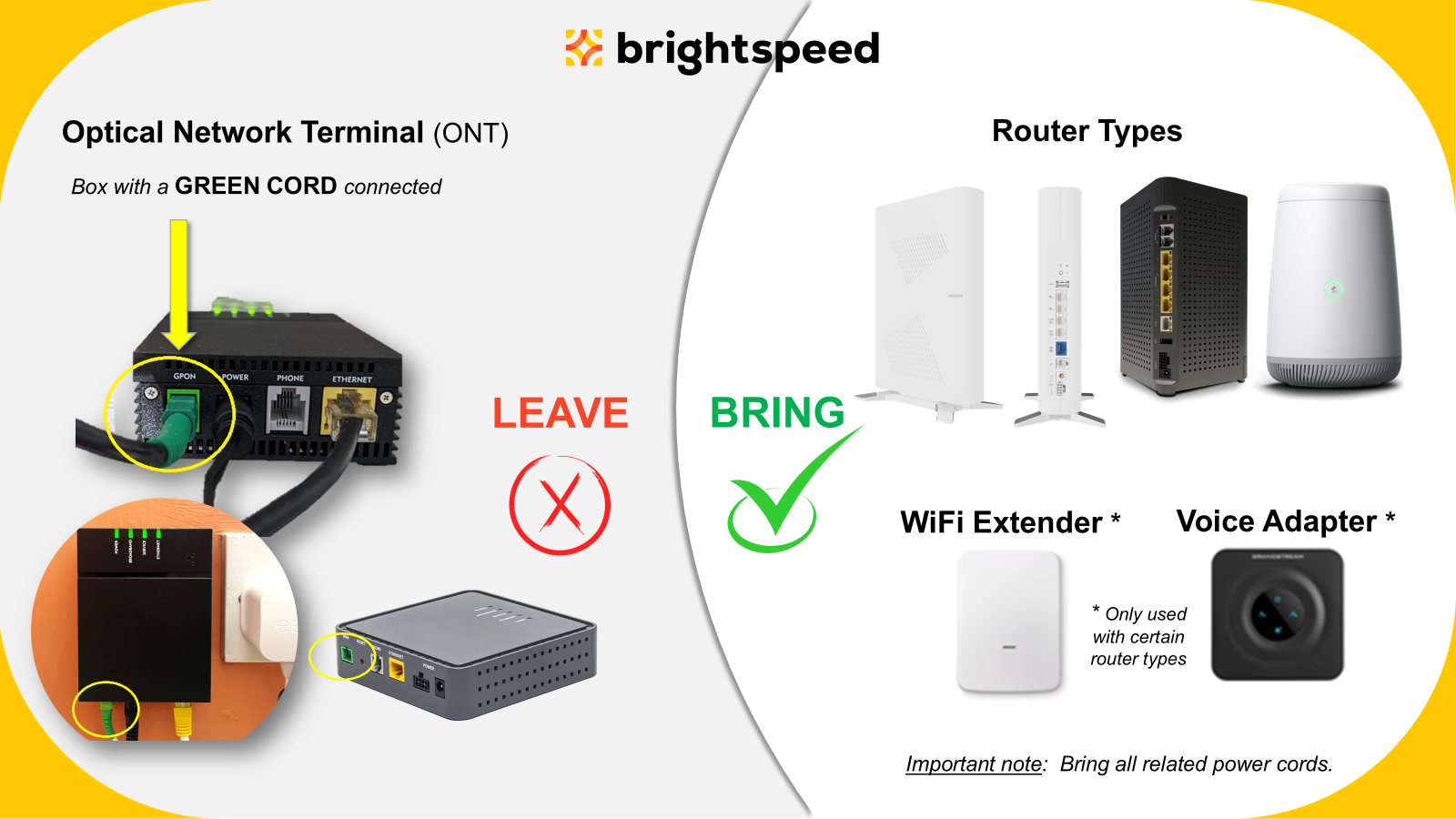
What to bring! Your Brightspeed Router, WiFi extenders, and any Voice equipment along with power cords.
- For a list of current Fiber routers, visit https://www.brightspeed.com/help/internet/fiber/equipment/
What to leave: Please leave the Optical Network Terminal. The ONT is the box with a Fiber optics cable running into the back port and can be mounted either inside or at an outside location.
*Qualifying customers include customers who are currently subscribed to a residential prepaid Brightspeed Fiber plan and sign up for a postpaid Brightspeed Fiber plan at their new location.
Frequently Asked Questions
Reusing your equipment can help make your activation go faster. However, our Brightspeed Authorized Technicians will ensure you have the best equipment for your technology. If we need to replace it, we’ll take care of it at no charge. As a courtesy, your technician will take your unused equipment with them. No need to return it!
Left your equipment behind? No problem. We’ll have everything you need to get your service installed.
Changes happen. Our Move Specialists are ready to help you navigate through the unexpected. Contact us at 866-460-2243 and you will be automatically directed to agents that can help.
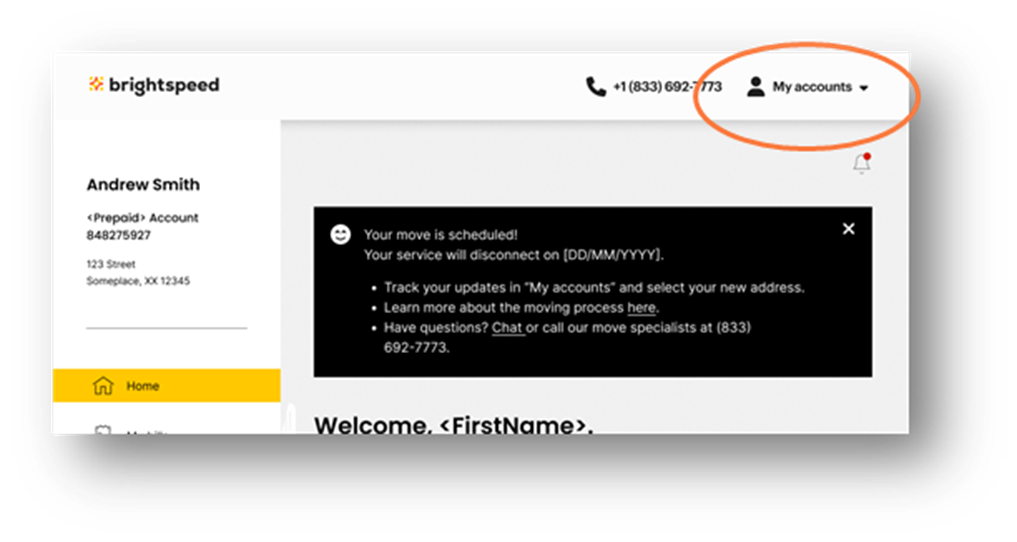
You can view details for either address by clicking the dropdown arrow next to “My Accounts” in the top right corner of your Brightspeed App home page and selecting the address.
There are no additional set up charges when you move your service to a new address. Additional charges only apply to any new products added outside of your EasyMove™ order.
It depends on where you live and what services you’re getting. When you place your order, we’ll show you the available installation dates and times. Check order status.
EasyMove™ is only available to customers who are currently subscribed to a residential prepaid Brightspeed Fiber plan and sign up for a postpaid Brightspeed Fiber plan at their new location.
Top account topics
Sign in to My Brightspeed
Manage your account preferences and billing information online.

Download the Brightspeed App


Brightspeed services support


