.png)


Router Replacement program
Select loyal Brightspeed customers have received a letter from Brightspeed with a new Calix U6 router and a Self- Install instructions pamphlet. Customers have been selected for a free home internet equipment upgrade and have been sent a new Calix U6 router with WiFi 6 technology, which will replace their current router. The upgrade router will provide stronger connections, better coverage, and a network that's ready for all of their devices.
For router upgrade program customers:
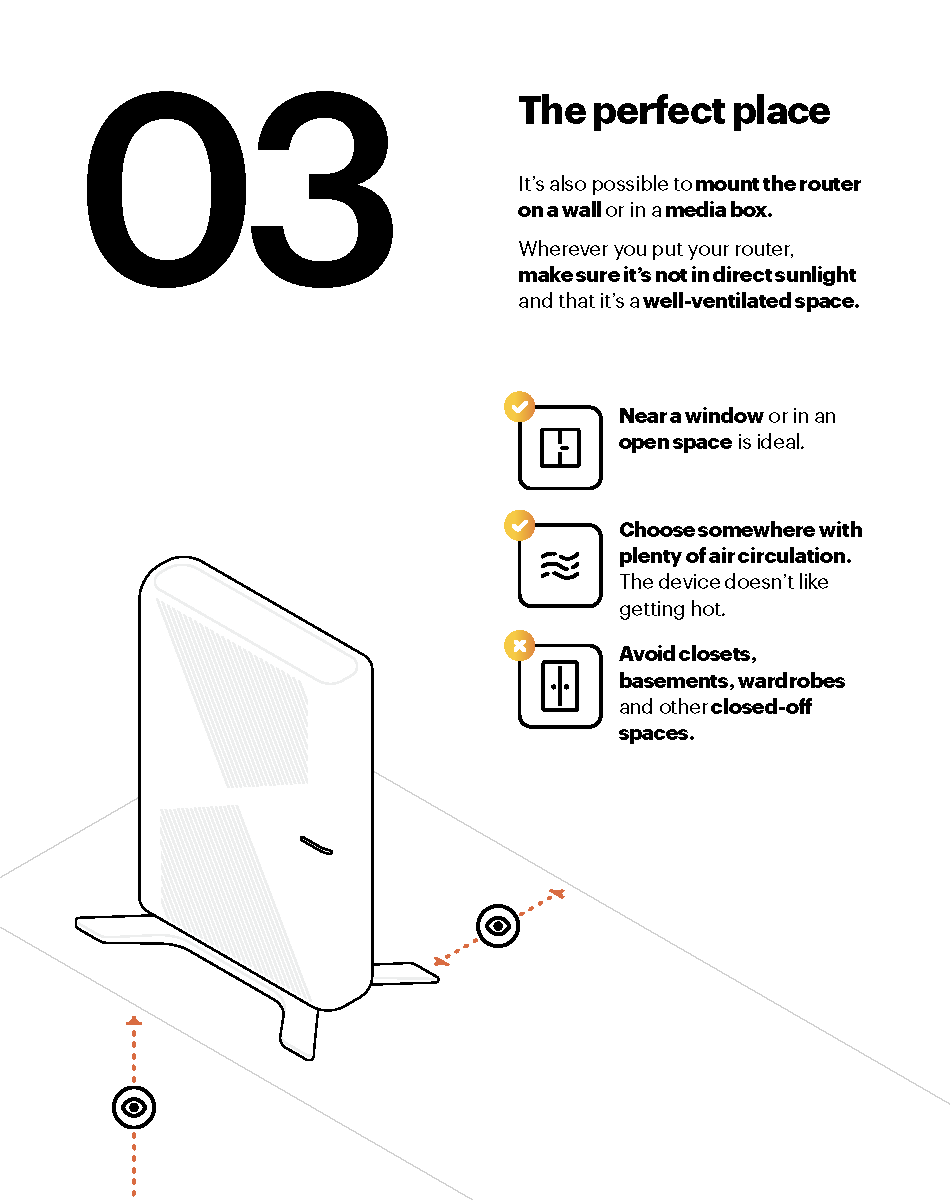
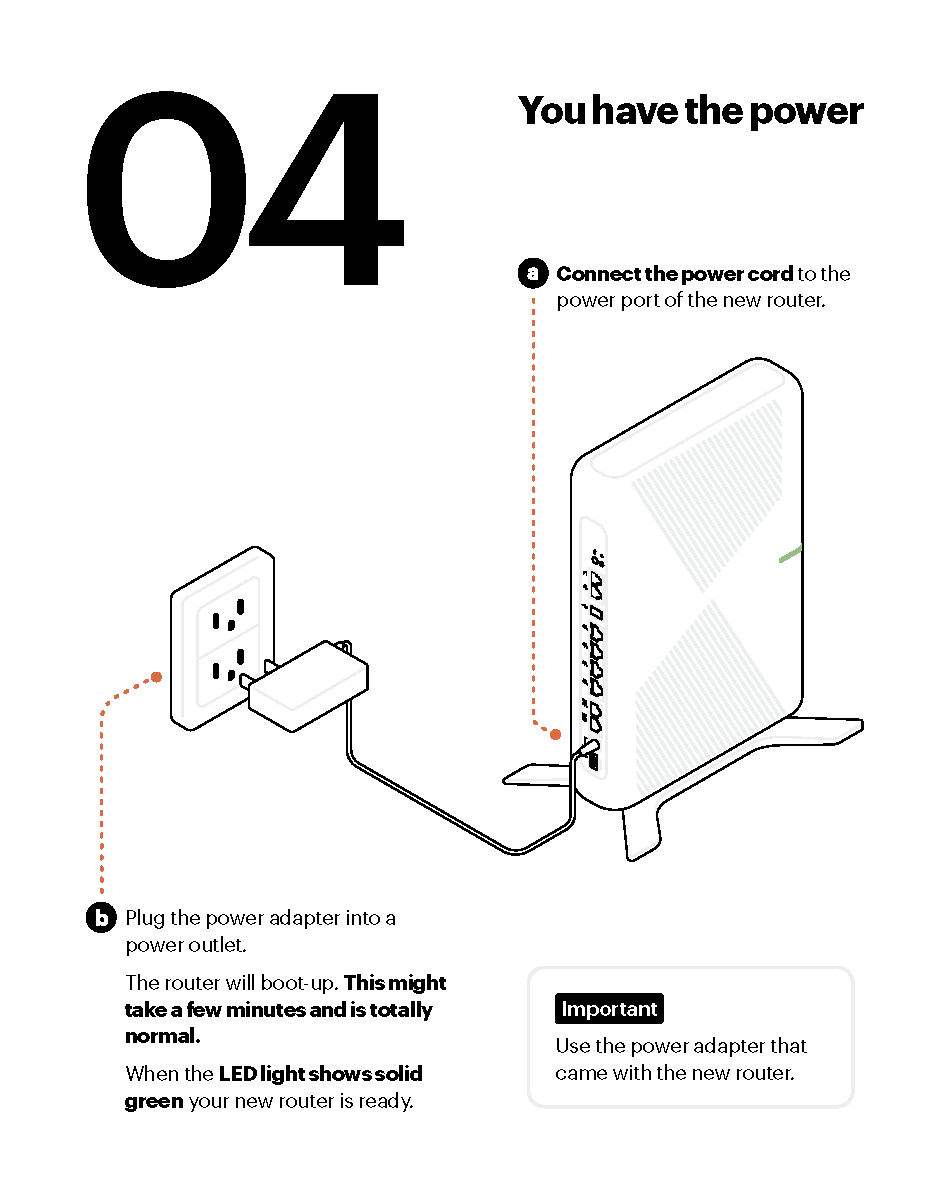
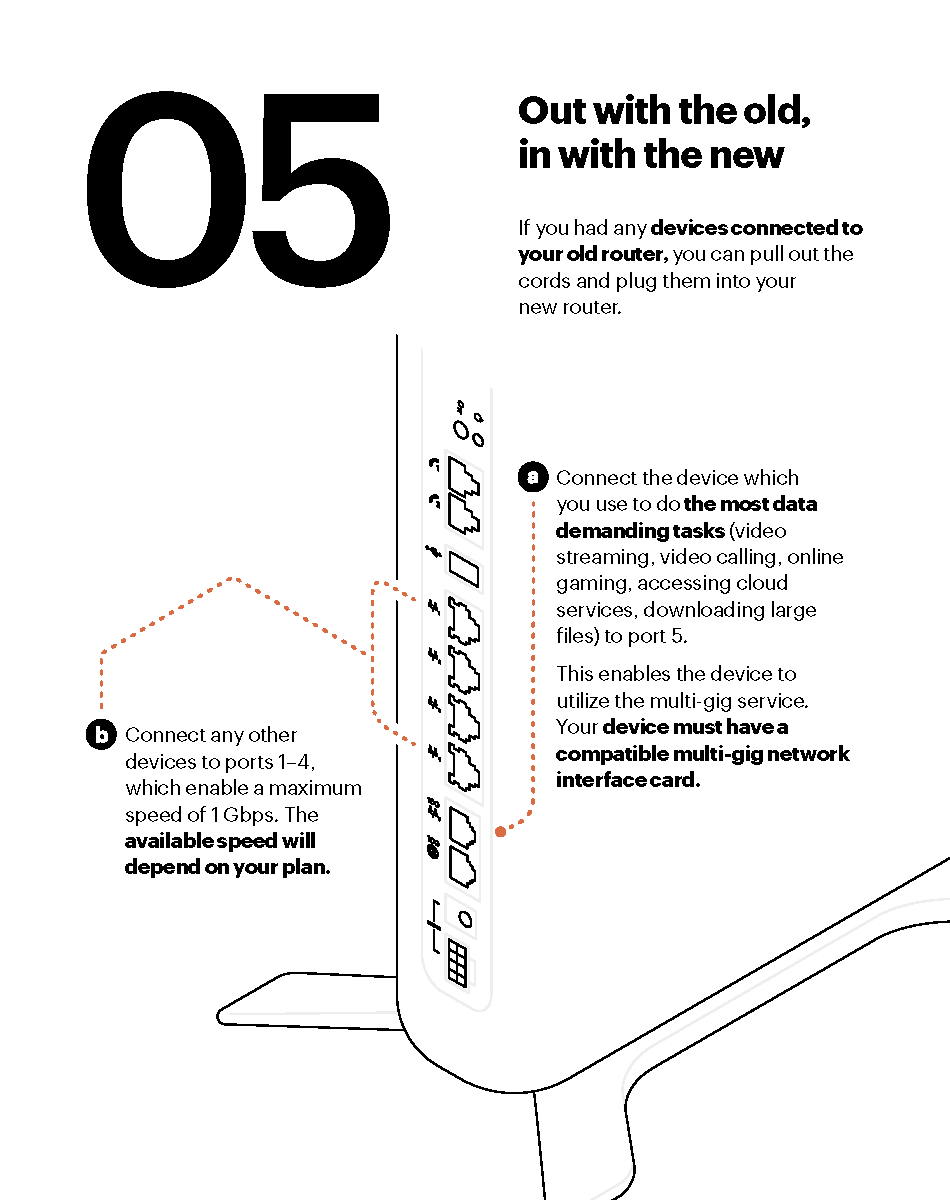
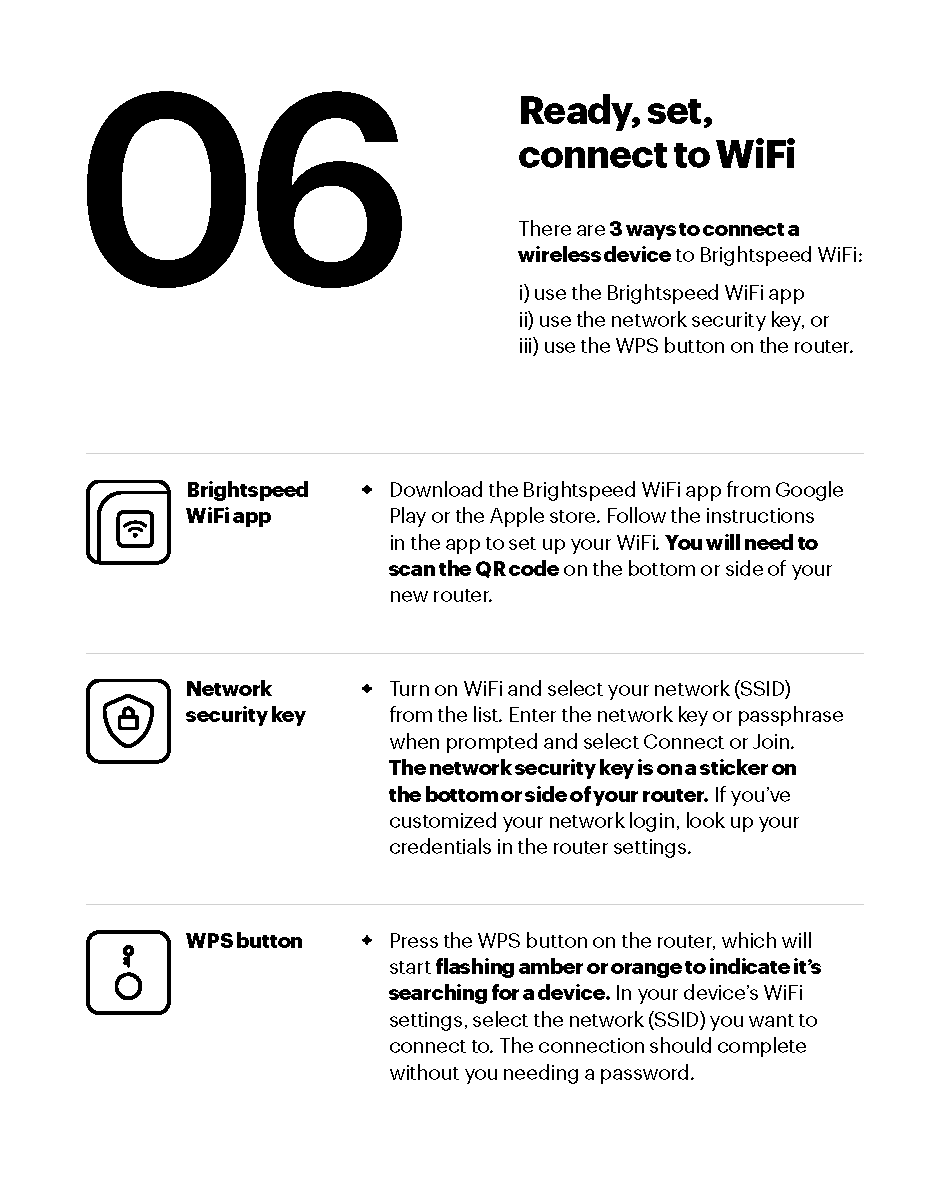
If you have received the white box with your new Calix U6 router, connect your new router and power it on. It will automatically connect to our network and be added to your account and you'll be online in minutes. Detailed instructions are included in the box. Or see link to the self-install instructions below.
Why did we choose you for the Router Replacement program?
We know your home depends on reliable fiber internet, so we're making this upgrade at no cost to you. WiFi 6 is designed for today's connected homes, offering:
- Faster WiFi speeds: Up to nearly 3x faster than older WiFi generations.
- Better performance in busy households: More devices can connect without slowing each other down.
- Stronger, more reliable coverage: Fewer dead zones and more stable connections.
- Upgraded security: Built-in WPA3 protection keeps your WiFi network devices safer than previous WiFi generations.
- Longer battery life for smart devices: WiFi 6 helps devices like your phones and laptops run more efficiently.
This upgrade is included with your Brightspeed service because we are committed to making it easy for you to access fast, reliable internet—today and in the future.
Reference Materials included with your new router:

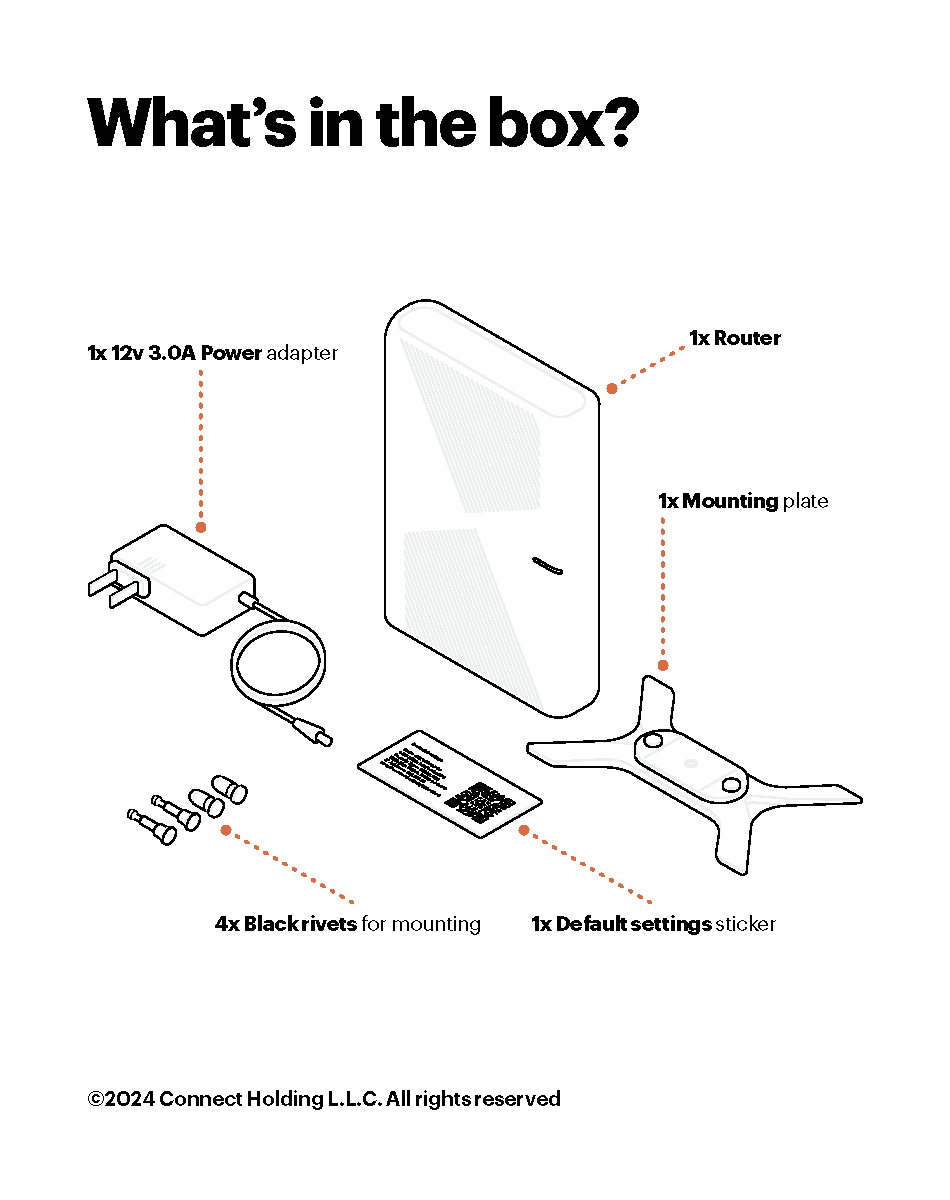
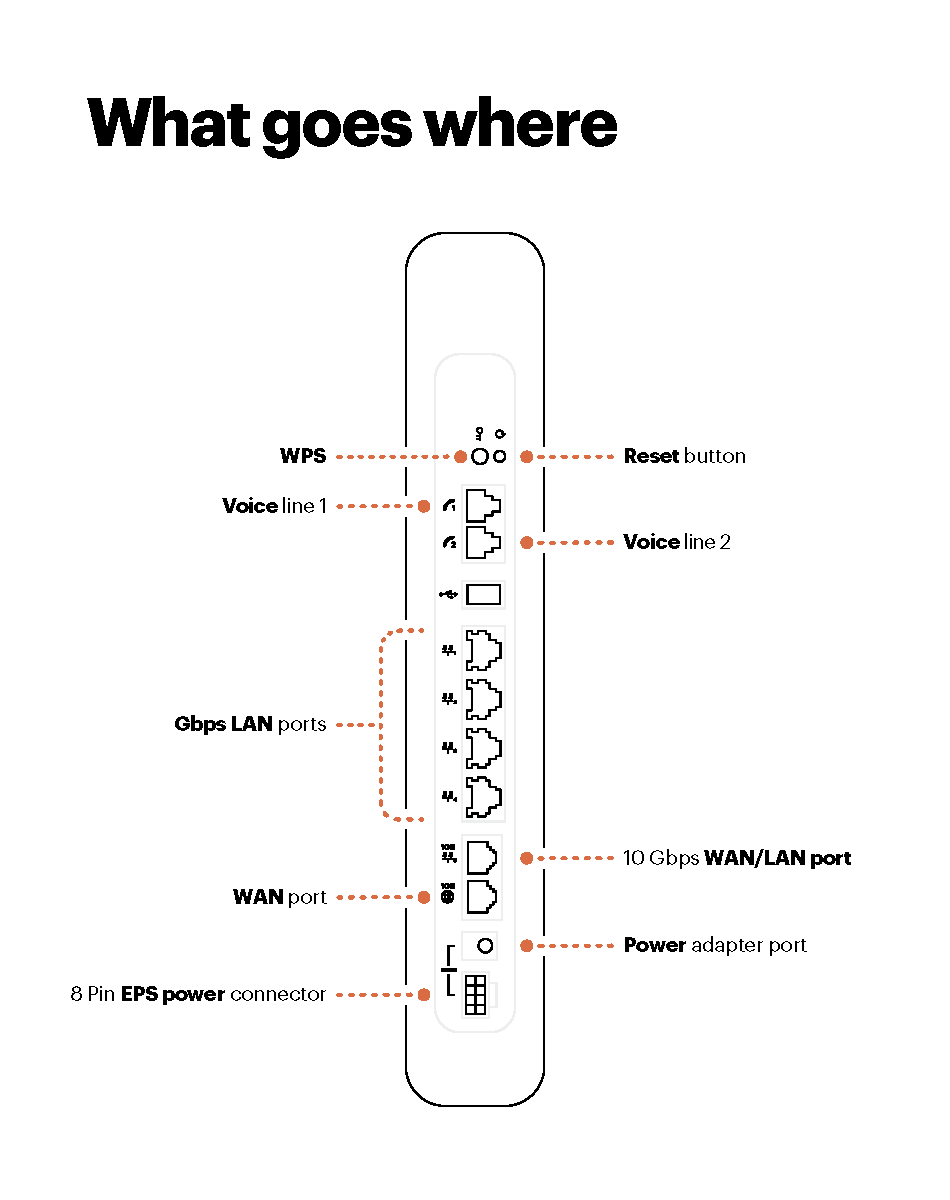
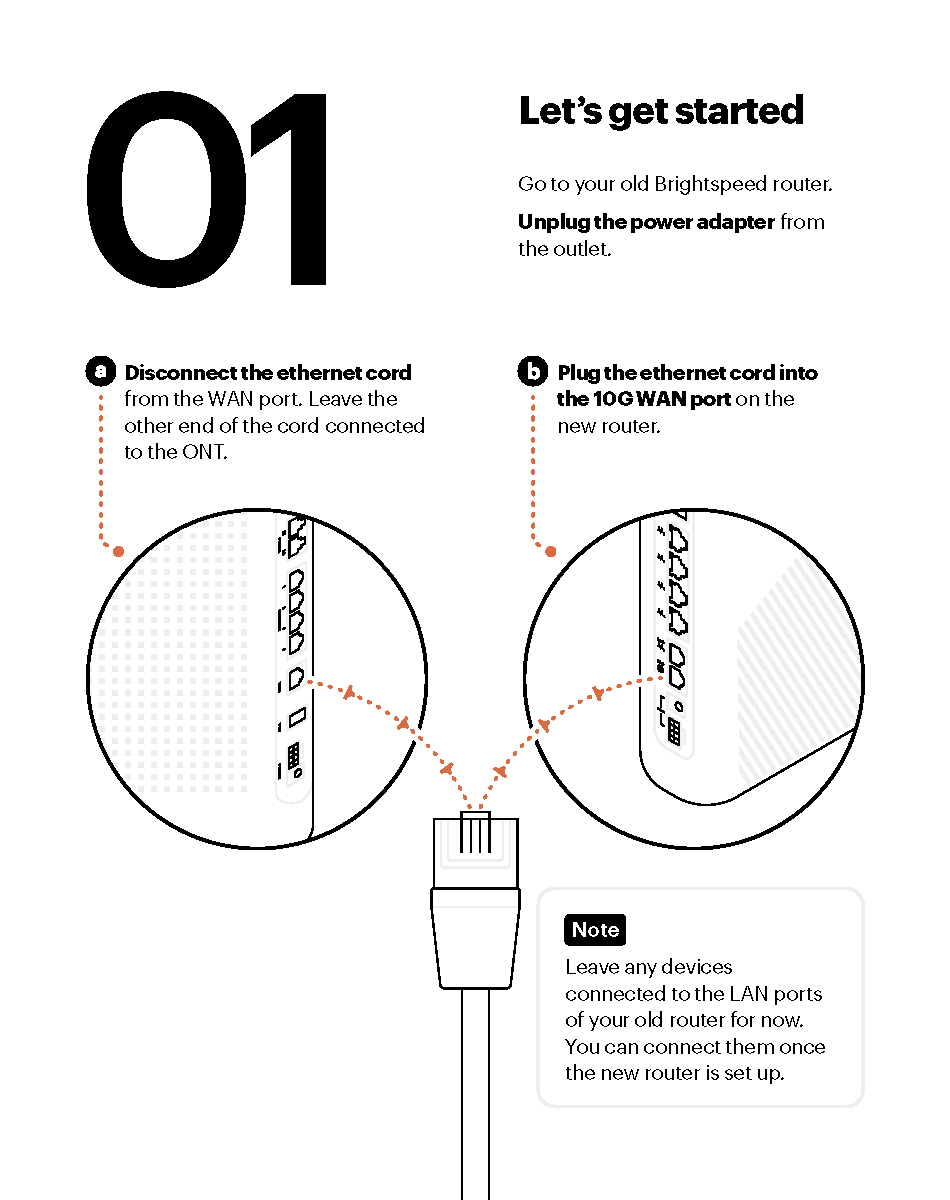
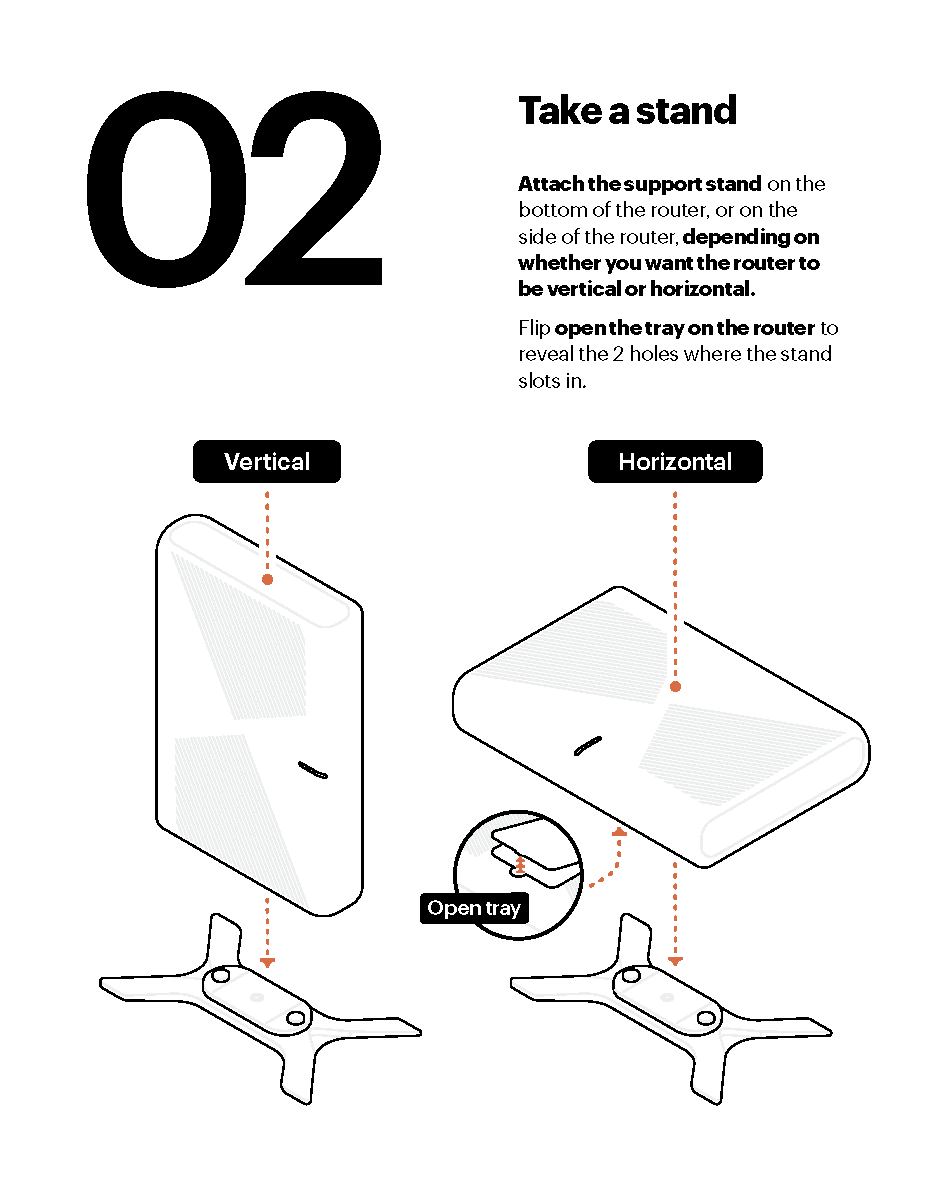
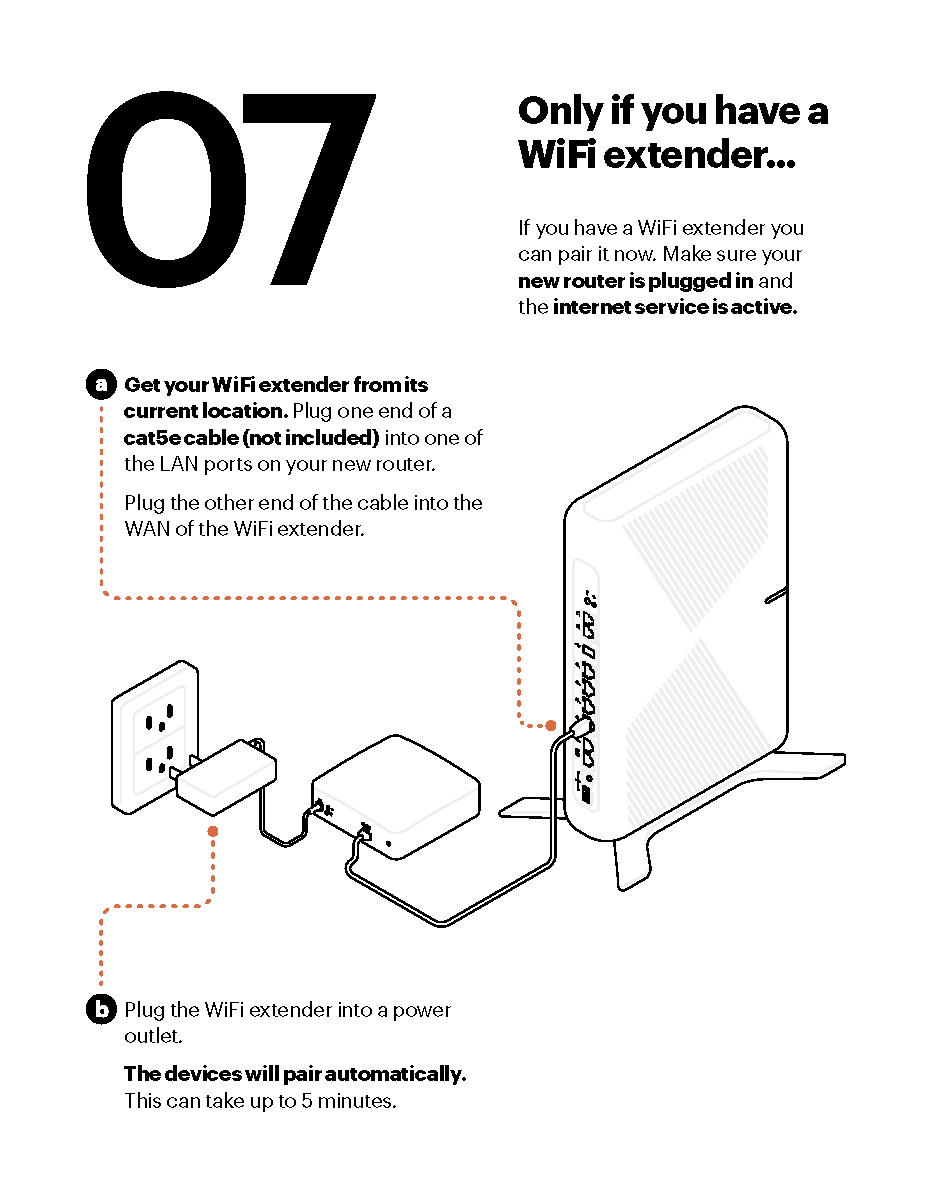
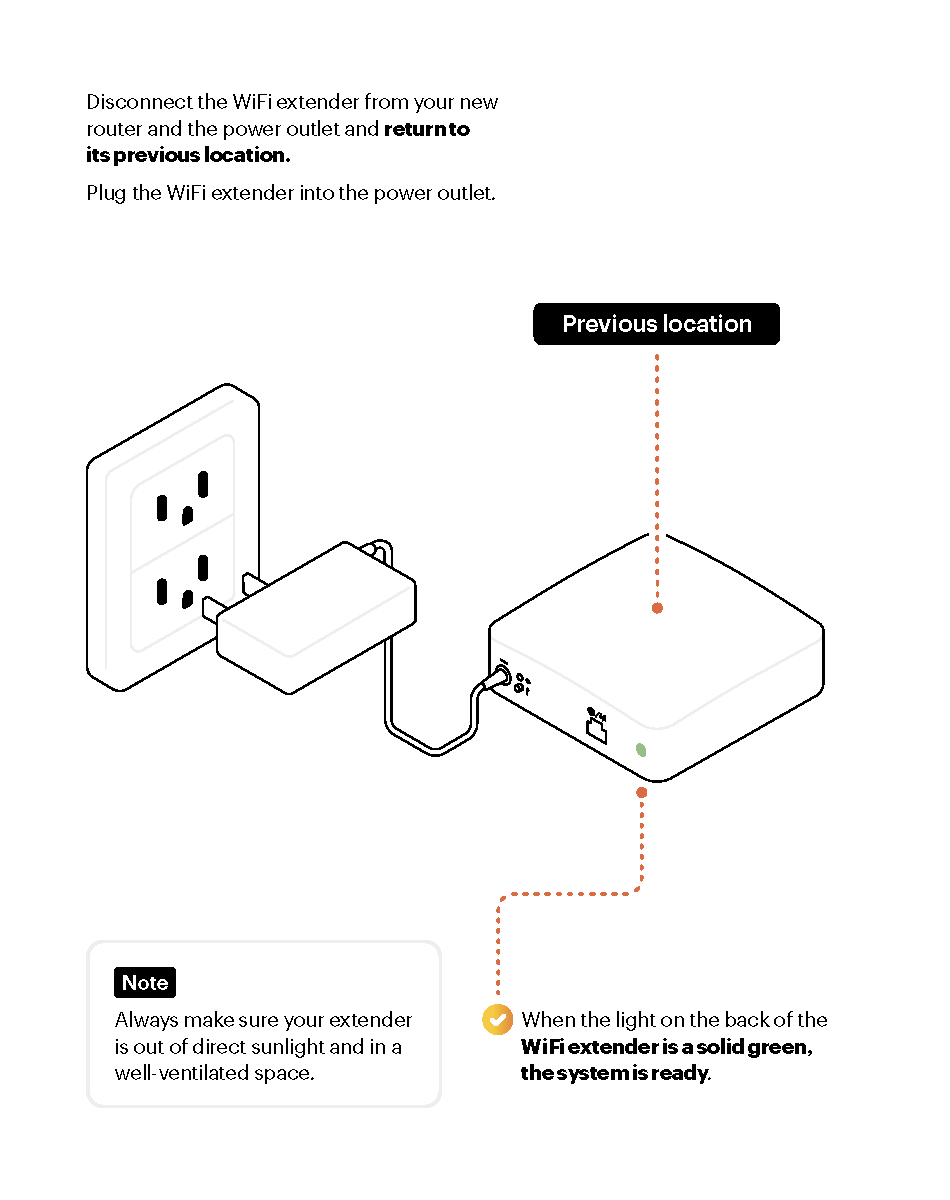
Have a Voice Line?
Disconnect the ATA phone line device from the Ethernet LAN port on your old router to an available Ethernet LAN port on the new router. The ATA is preconfigured and ready to use.
Here are some additional support links that you might need in specific situations:
If you have any challenges setting up your upgrade router, please contact us through Chat or call us at +1 (833) 692-7773
Top modem/router topics
- Set up your modem and activate internet
- Connect devices to your WiFi network
- Should you use 2.4 or 5 GHz WiFi?
- Brightspeed compatible modems
- How to read your modem lights
- When and how to use modem reset
- How to return a modem
- How to upgrade your modem's firmware
- Modem or router: What's the difference?
View all Modem/Router topics
Top tools
Log in to access our most popular tools.


Brightspeed services support


