.png)


Set up your Brightspeed Fiber Internet router
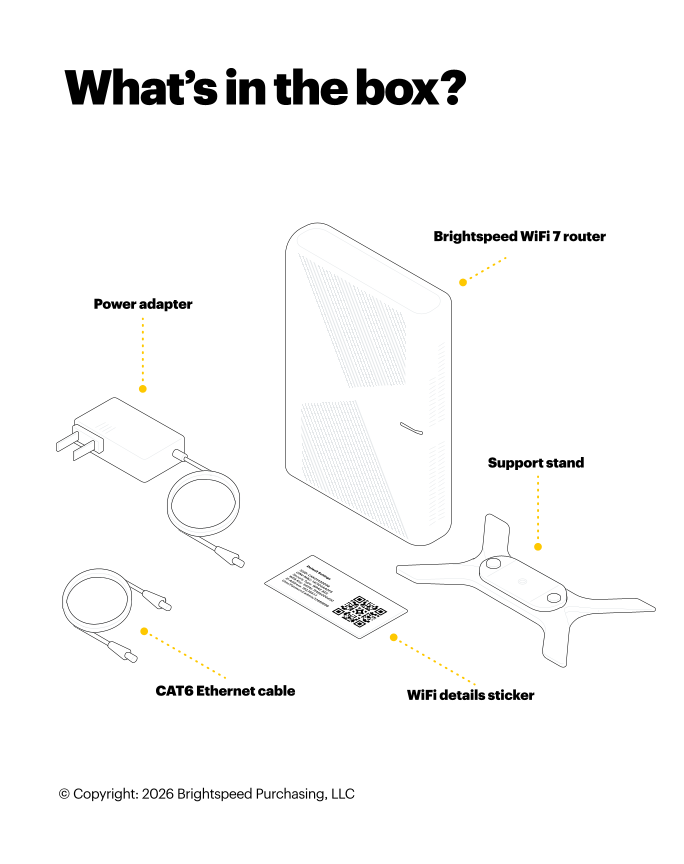
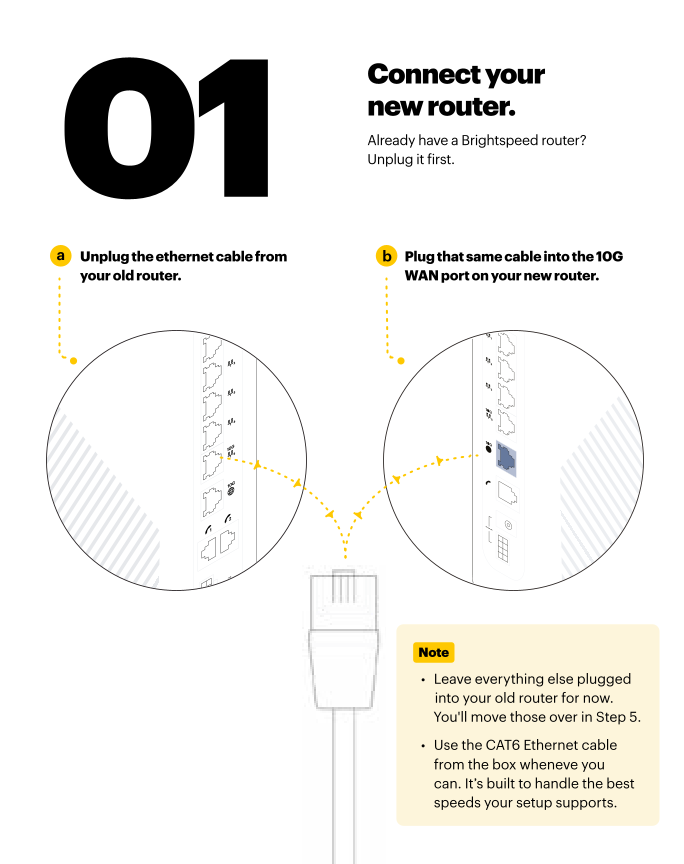
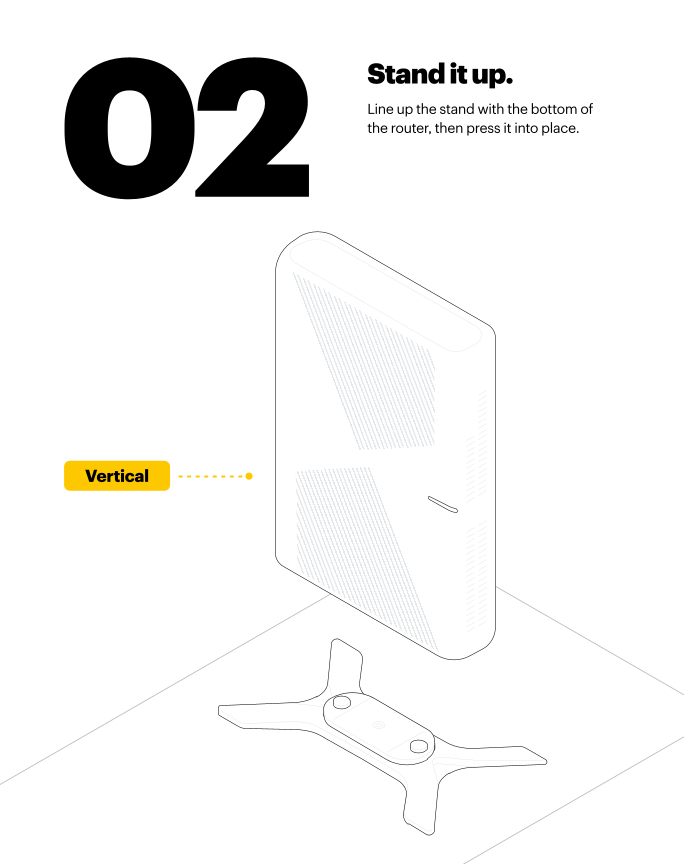
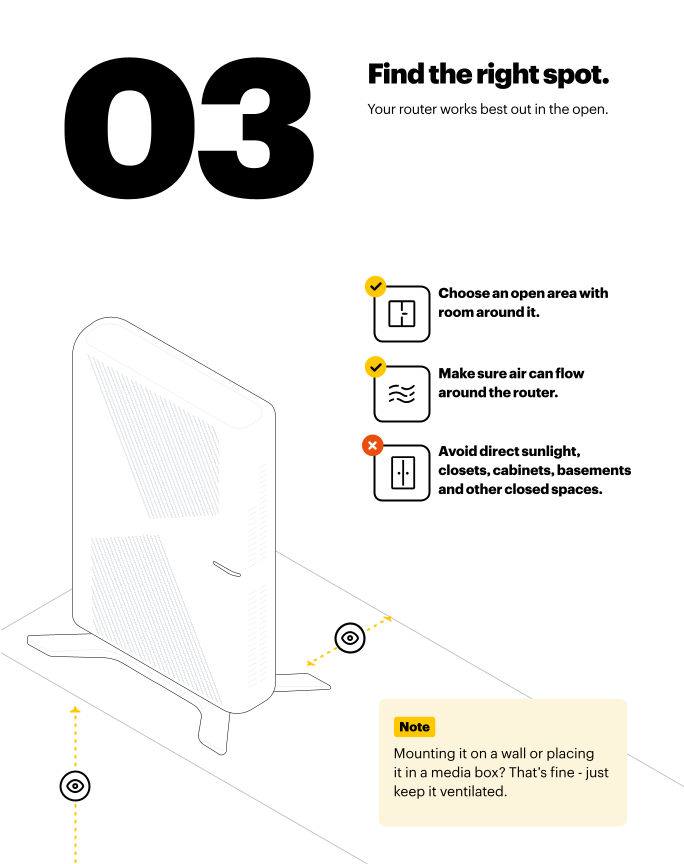
Here’s how to set up your Calix GigaSpire 7u10t.2 router:
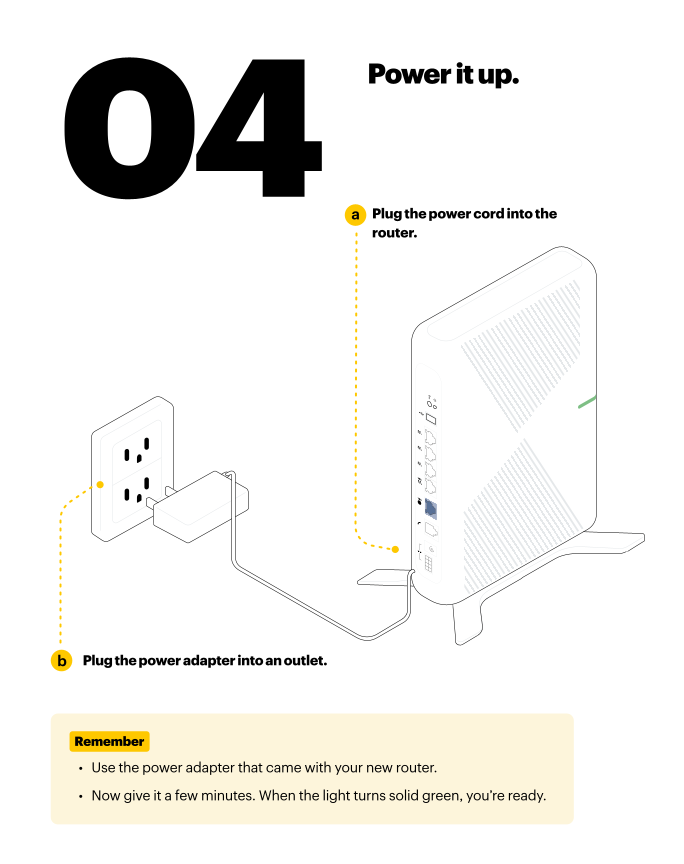
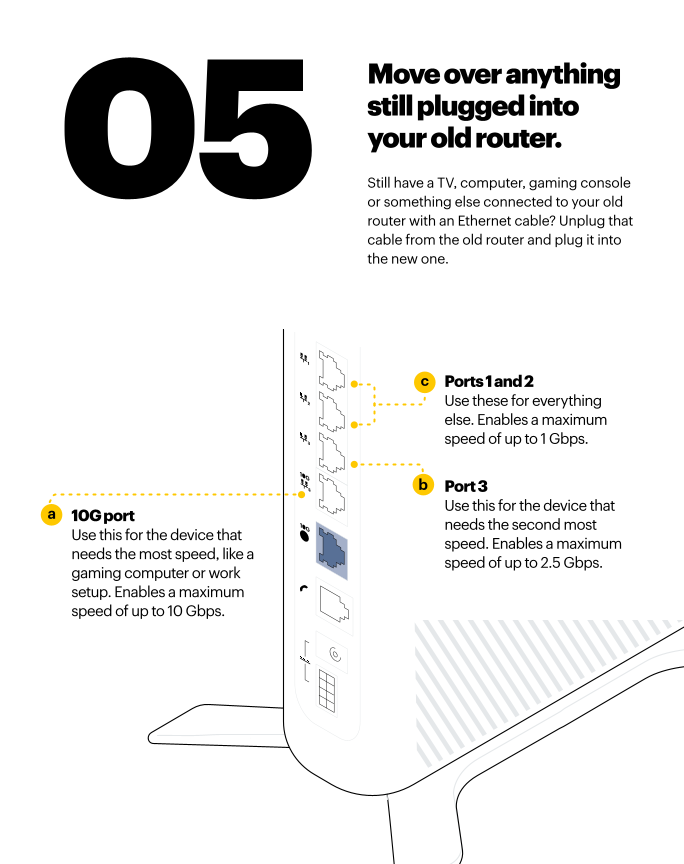
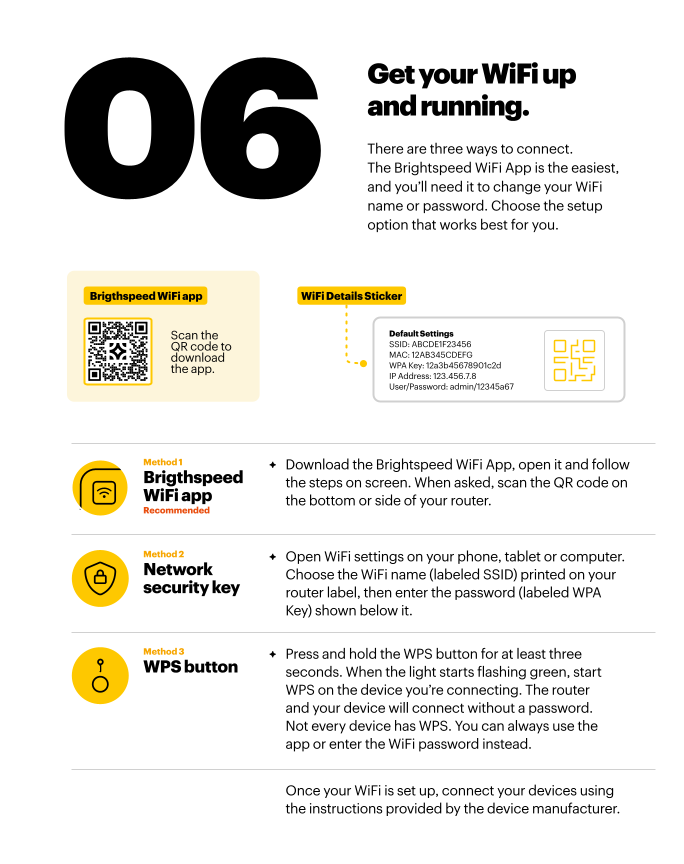
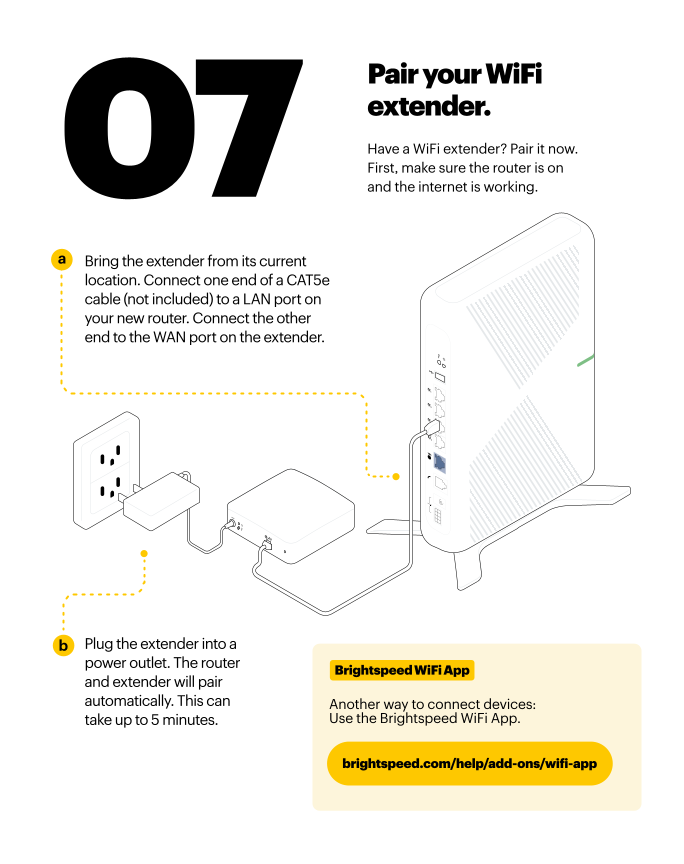
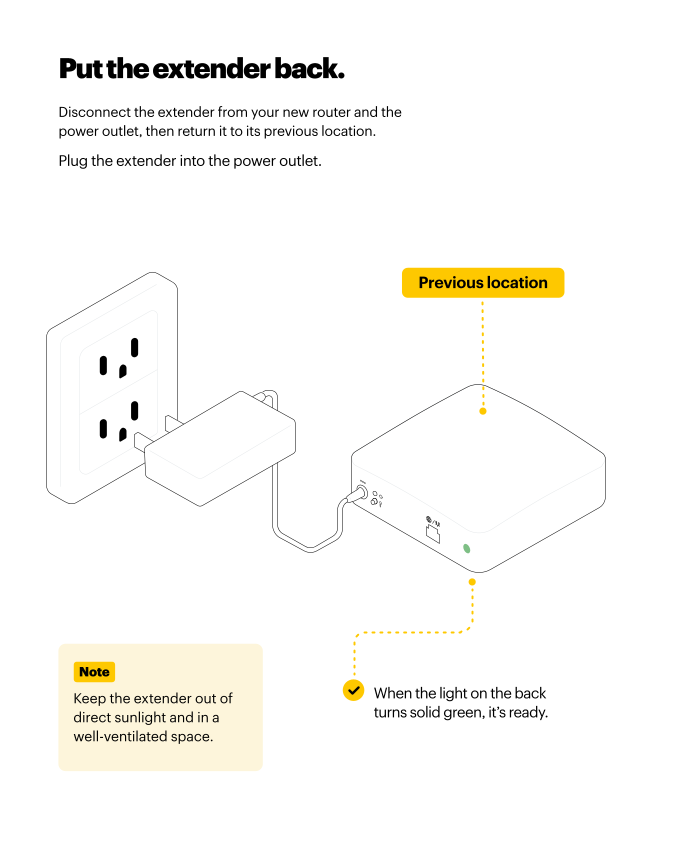
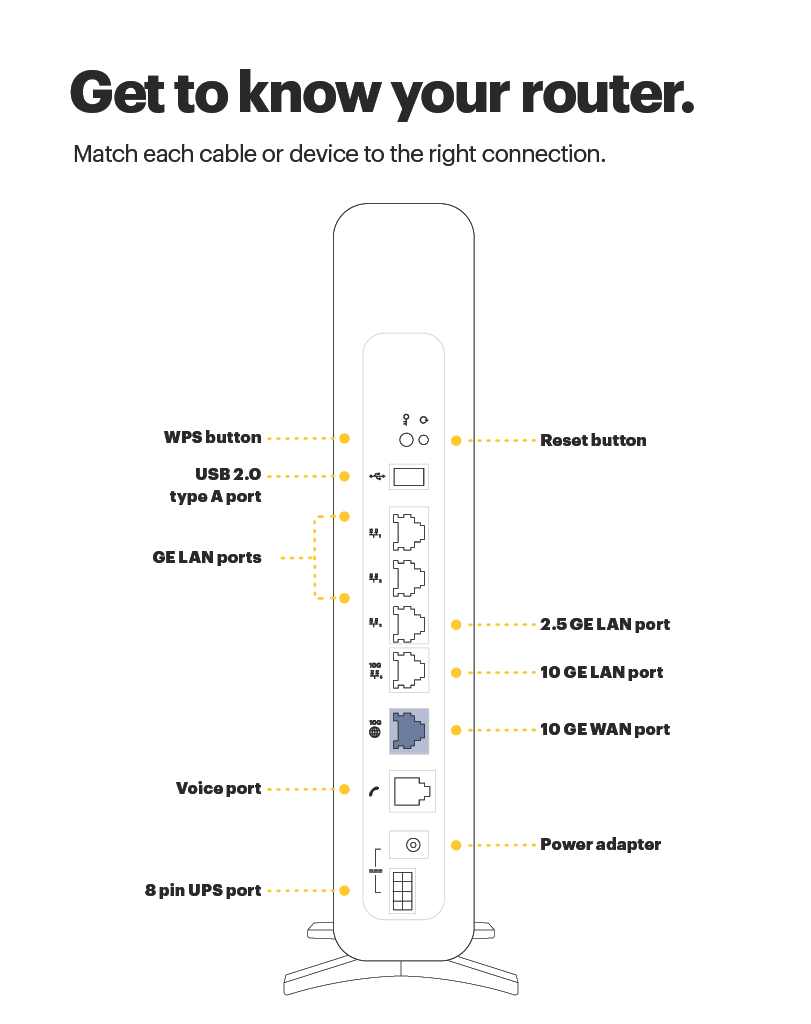
Pretty quick huh?
Now go enjoy the fastest internet in town.
Something not right?
Call tech support at 833-692-7773.
Return your router
If your installation replaces Brightspeed equipment, you must return the old equipment. Get instructions on what to do next at brightspeed.com/returnmodem.
Top modem/router topics
- Set up your modem and activate internet
- Connect devices to your WiFi network
- Should you use 2.4 or 5 GHz WiFi?
- Brightspeed compatible modems
- How to read your modem lights
- When and how to use modem reset
- How to return a modem
- How to upgrade your modem's firmware
- Modem or router: What's the difference?
View all Modem/Router topics
Top tools
Log in to access our most popular tools.


Brightspeed services support


